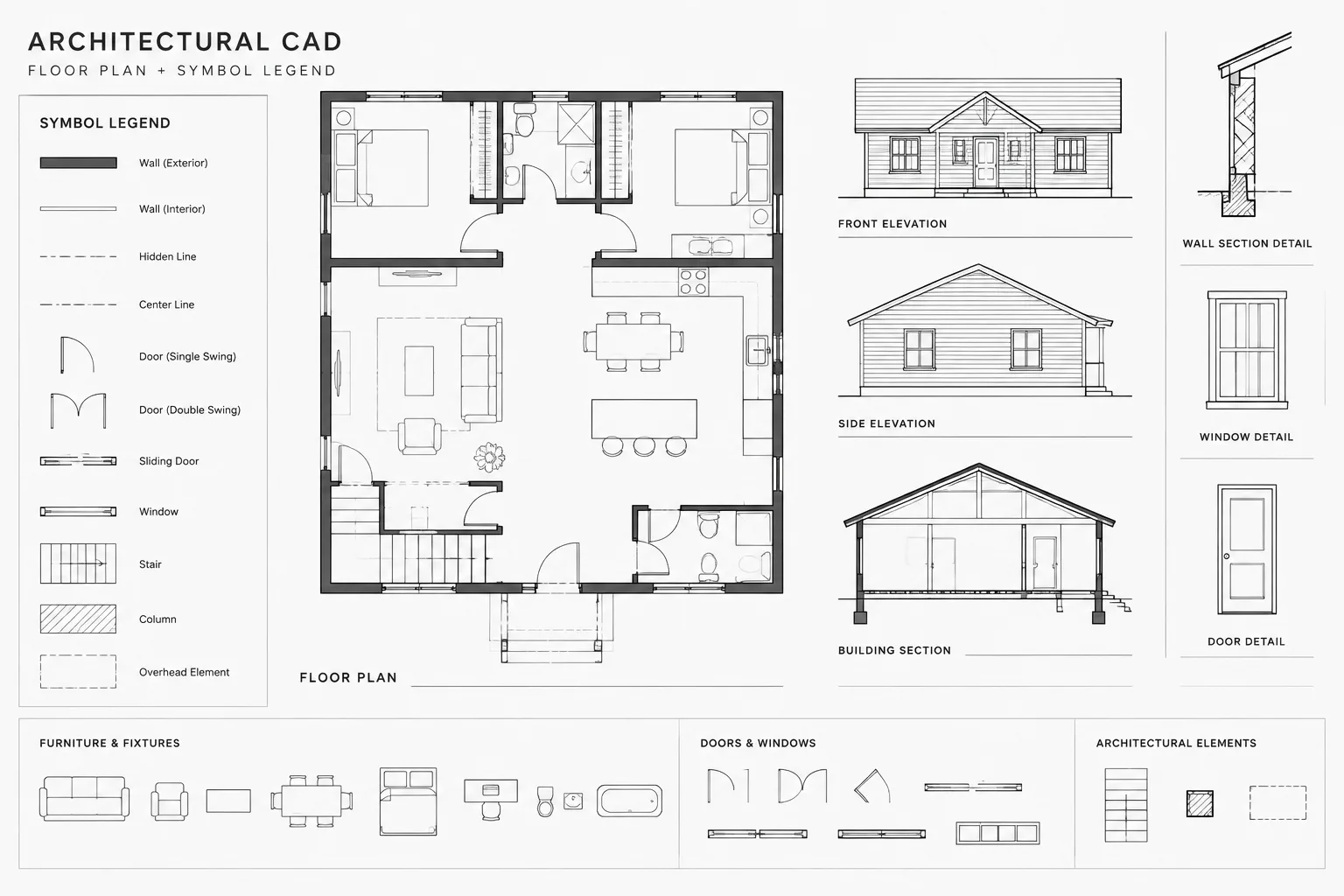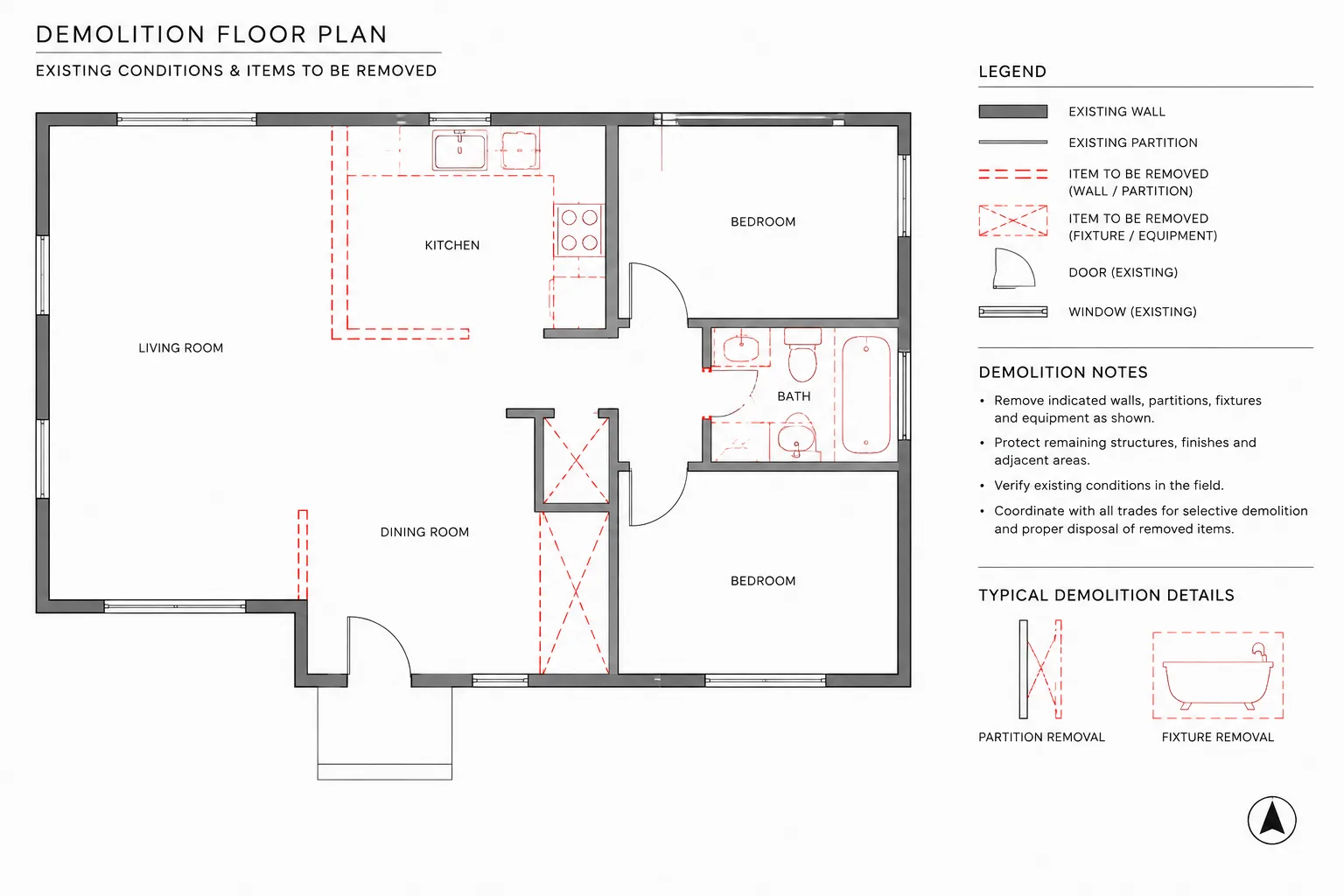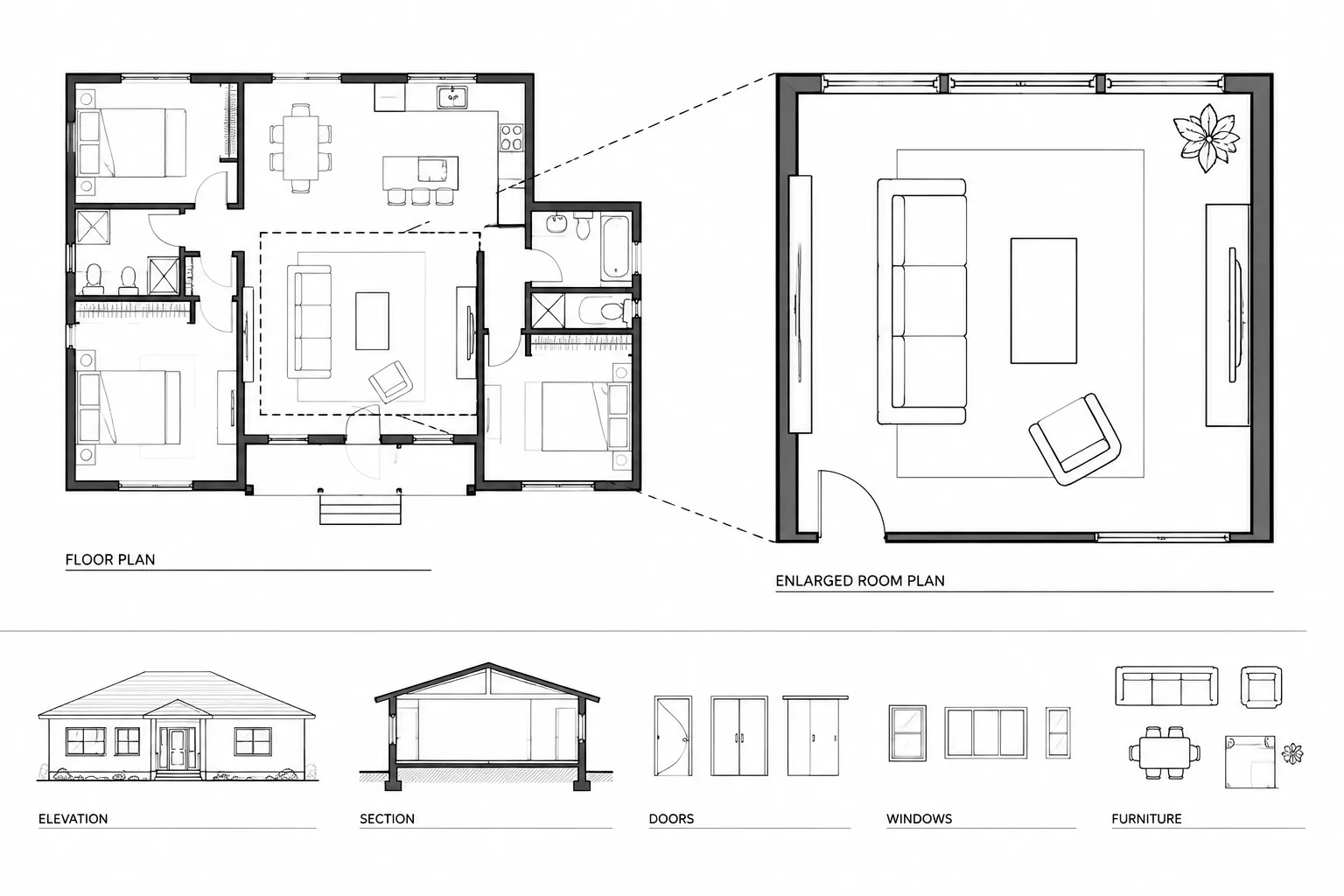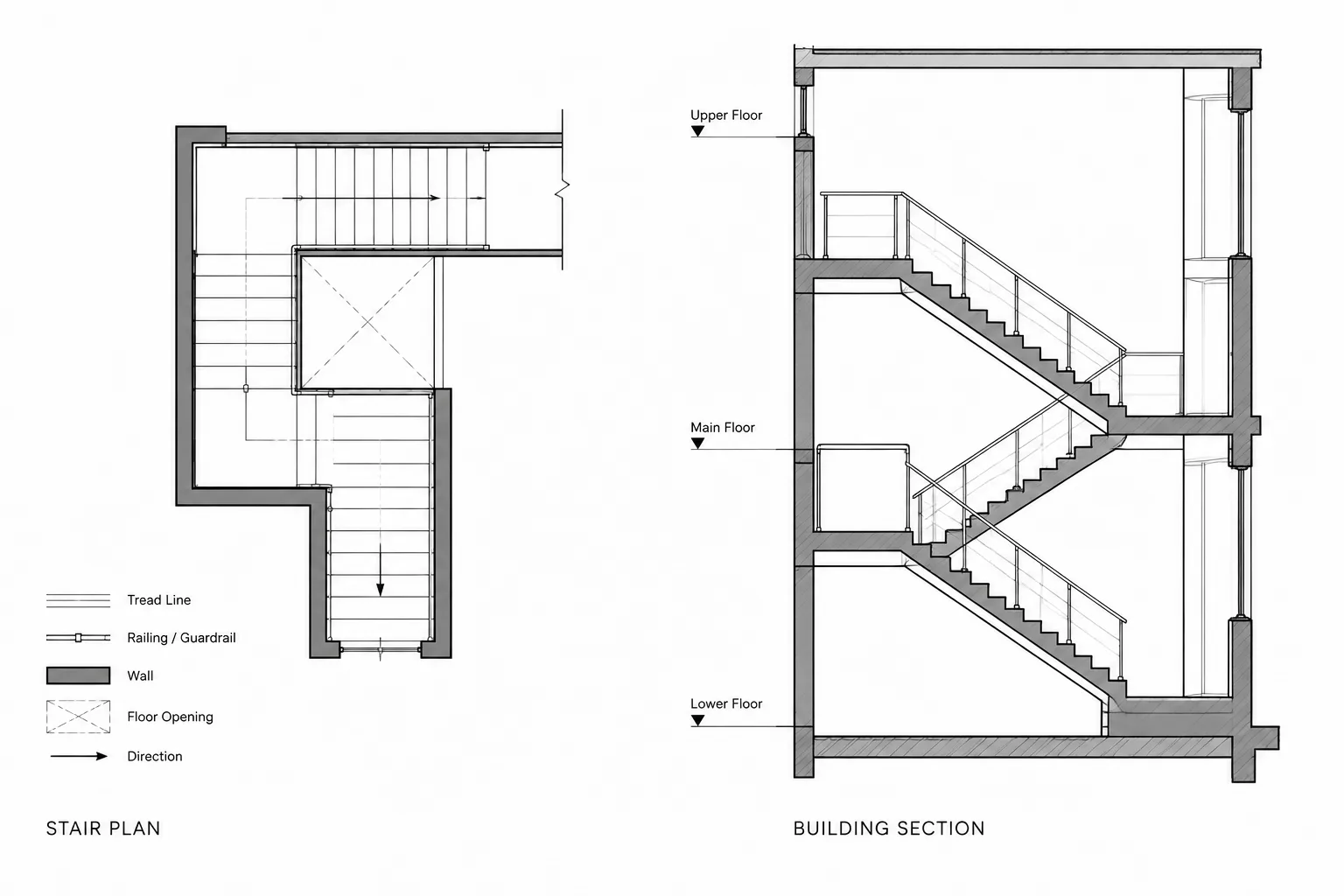
Overhead door CAD coordination requires more than placing a door symbol in a wall. The assembly may occupy space at the jambs, above the opening, below the structure, and within areas assigned to ceilings or building services. These conditions must remain coordinated even when some components are hidden in the plotted floor plan.
This guide explains how to organize overhead door information across architectural drawings without turning the DWG into a fabrication model. It focuses on clear graphic conventions, dependable block use, coordination zones, schedule relationships, and practical quality control.
Overhead doors affect more than a wall opening. Their panels, tracks, guides, operators, access zones, and supporting construction may extend into the room or above the ceiling. A symbol that looks acceptable on a floor plan can therefore conceal conflicts with structure, lighting, ductwork, equipment, or required access.
A reliable overhead door CAD coordination workflow connects the plan symbol to elevations, sections, reflected ceiling plans, schedules, and verified product information. The goal is not to reproduce every manufacturer component in the architectural model. It is to show enough information for design decisions, consultant coordination, and drawing review while keeping the DWG readable.
Identify the Door Type Before Drafting It
“Overhead door” is a broad label rather than a complete description. Different operating systems occupy different parts of the building. Confirm the intended door category before selecting or creating a block.
- Sectional door: Hinged sections travel along tracks and may continue horizontally, follow the roof structure, or rise vertically.
- Rolling or coiling door: A flexible curtain coils around a barrel above the opening and typically uses guides at the jambs.
- Coiling grille: An open-pattern curtain provides separation while maintaining visibility or airflow where appropriate.
- Counter door or shutter: A smaller assembly closes an opening above a counter or service surface.
- Specialty fabric or high-cycle assembly: The opening, guides, controls, and operating clearances depend heavily on the selected system.
Do not infer operating geometry from an attractive library block. A generic symbol can establish design intent, but final clearances and support conditions should come from verified project information.
Start with the Coordinated Wall Opening
Draft the architectural opening as part of the wall system, not as disconnected lines inside a door block. The opening should align with wall faces, structural framing, finish returns, curbs, and adjacent openings. This makes later revisions easier and prevents the block from masking an incorrectly sized or misplaced opening.
Establish a dependable insertion point for the door symbol. Common references include the opening centerline, a jamb face, or the intersection of the wall centerline and opening centerline. The office should use one convention consistently so that blocks can be replaced without shifting the opening.
Keep these concepts separate in the drawing:
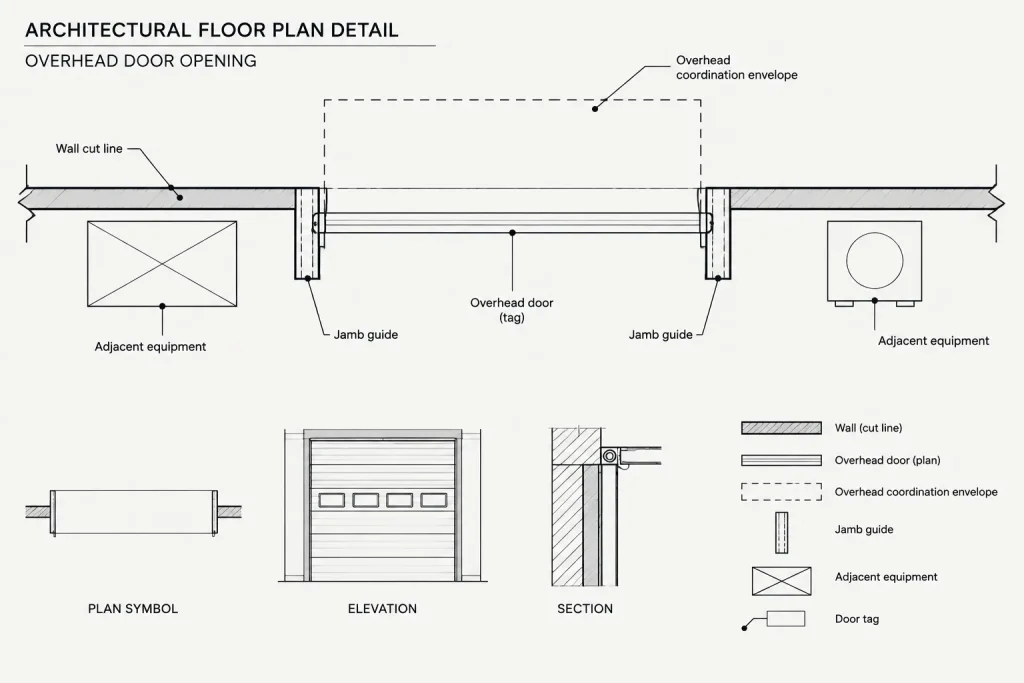
- The architectural wall opening
- The visible door or curtain
- Jamb guides or track components
- Overhead operating geometry
- Clearance or service zones
- Door tag and schedule data
This separation allows each item to be displayed appropriately in plans, enlarged plans, sections, and coordination views.
Represent the Door Clearly in Plan
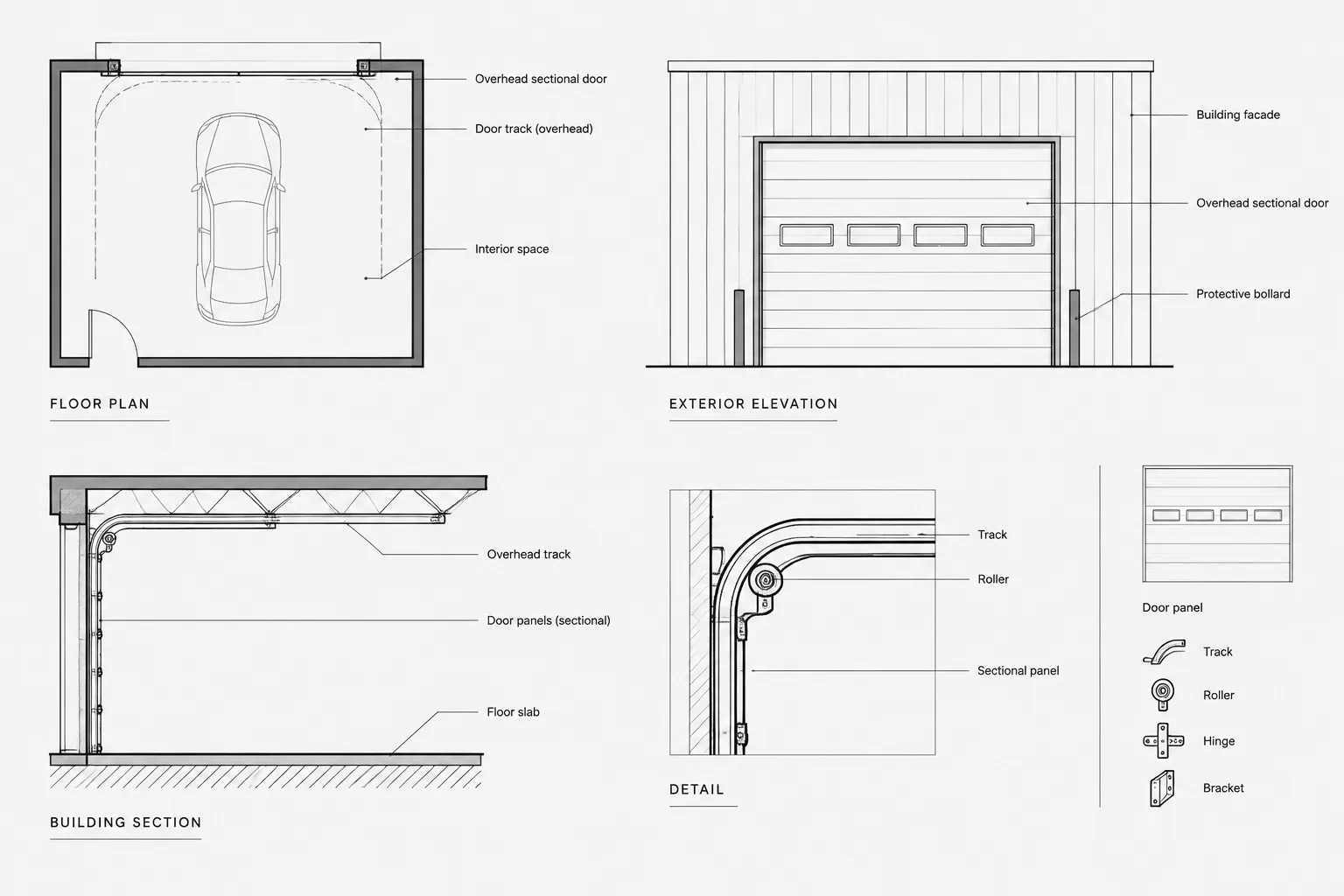
A floor plan should communicate the opening location, door identity, and basic operating relationship without becoming a product-detail drawing. Show jambs or guides where they affect usable width, wall finishes, or adjacent equipment. Use a consistent lineweight hierarchy so that cut walls remain dominant and overhead elements read as secondary information.
A sectional door may need dashed or screened lines showing the approximate track path above. A rolling door may require a simplified indication of jamb guides and the hood or coil location when those elements affect nearby construction. If overhead geometry would clutter the primary plan, place it on a dedicated layer that can be displayed in coordination views and hidden in simpler presentation plans.
Avoid using a conventional swinging-door arc for an overhead door. The arc implies a different operation and can create false clearance expectations. Use a distinct office symbol or a restrained graphic that accurately suggests the selected operating type.
Coordinate the Elevation and Section
The elevation establishes the relationship between the door, opening, wall finishes, adjacent glazing, control devices, and surrounding architectural features. The section explains where the system goes after it leaves the opening.
For sectional doors, the section is especially important because the track may project into the room, turn below structure, or follow another verified path. For rolling assemblies, the section should account for the coil or hood area above the opening and the relationship to ceilings, beams, lintels, and exterior enclosures.
At a minimum, review the following conditions:
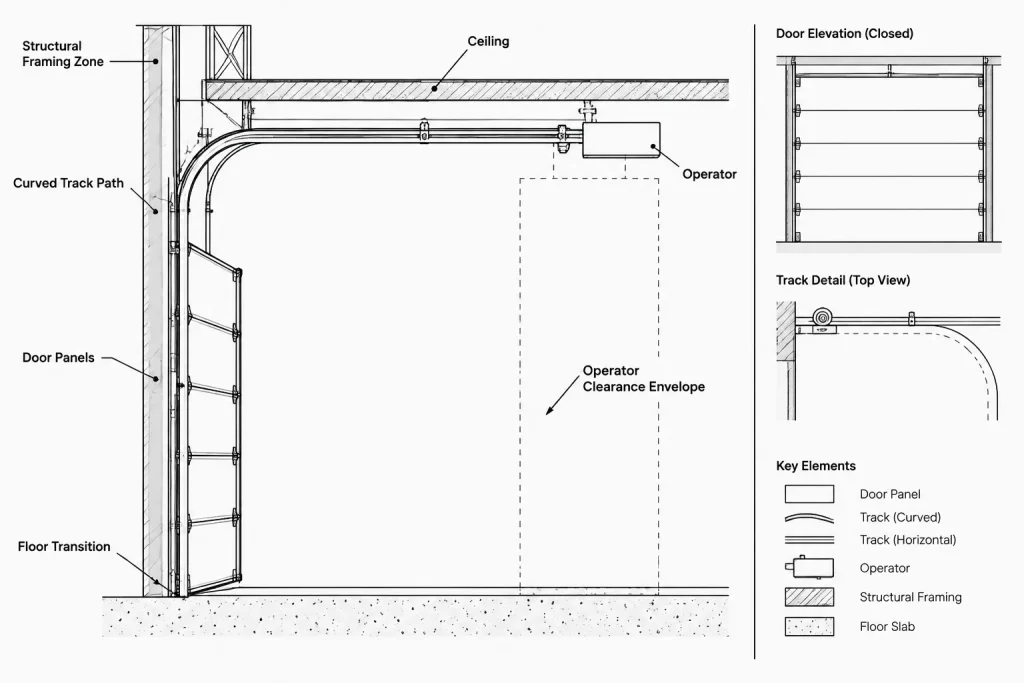
- Head construction and structural support
- Jamb support and finish returns
- Sill, floor, curb, or paving transition
- Track, guide, hood, barrel, or operator zone
- Relationship to ceilings and overhead services
- Interior and exterior weather exposure
- Access needed for operation, inspection, or maintenance
The architectural drawings should identify coordination zones without inventing attachment details or structural capacities. Delegate engineering and product-specific design only where the project documents and responsible disciplines support that approach.
Check the Reflected Ceiling Plan and Overhead Space
Overhead door conflicts often appear above the plan cut plane. Compare the door layout with the reflected ceiling plan, structural background, and relevant consultant information. Tracks and operators can conflict with light fixtures, ducts, piping, cable trays, sprinklers, ceiling clouds, and access panels.
Create a coordination layer for the overhead envelope when the operating system is not fully selected. The envelope can be a simple dashed outline or screened region representing space that must remain under review. Label it as a coordination zone rather than confirmed product geometry.
Do not assume that hiding the track on a plotted floor plan removes the need to coordinate it. Keep the geometry available in the DWG so reviewers can turn on the applicable layer or use a dedicated coordination view.
Use Blocks Without Hiding Important Differences
A reusable overhead door block can improve consistency, but one block should not imply that all assemblies operate the same way. Organize blocks by meaningful graphic behavior rather than only by opening appearance.
A practical block may include separate components for the opening marker, curtain or panels, guides, overhead path, tag, and clearance envelope. Visibility options can be useful when they are documented and tested, but simple blocks may be safer when project teams exchange files across different workflows.
Before reusing any downloaded DWG block, verify:
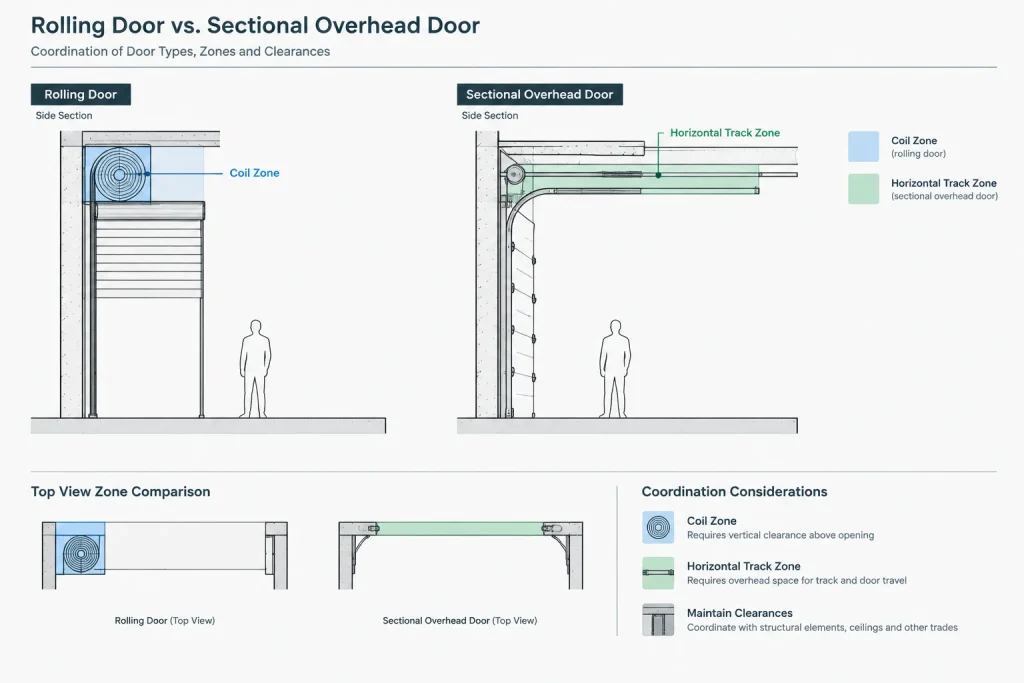
- Drawing units and insertion scale
- Insertion point and orientation
- Layer assignments and object properties
- Nested blocks, attributes, and unwanted annotation
- Whether the symbol depicts a sectional, rolling, or other door type
- Whether clearances are generic graphics or verified requirements
Connect Tags and Schedules
Assign each overhead door a stable identifier and coordinate it with the door schedule or equipment information used by the project. The tag should not carry every technical property. Its primary purpose is to connect the drawing location to coordinated data.
Schedule fields vary by project, but the design team may need to track the door type, opening reference, operation, finish, glazing or vision elements, control approach, and related notes. Only include data that the team can maintain accurately. If a characteristic is unresolved, identify it as pending rather than filling the schedule with an assumption.
| Drawing view | Primary coordination purpose | Common review issue |
|---|---|---|
| Floor plan | Opening location, jamb relationship, tag, and approach area | Guides or adjacent equipment reduce usable space |
| Elevation | Panel appearance, opening alignment, controls, and finishes | Door conflicts with architectural features or signage |
| Section | Head, track, coil, operator, sill, and support relationships | Insufficient overhead or side clearance |
| Reflected ceiling plan | Coordination with ceilings, lighting, and overhead systems | Track or operator crosses another building system |
| Schedule | Identity and controlled project data | Type designation does not match the drawn operation |
Coordinate Exterior and Site Conditions
Exterior overhead doors must be reviewed with the site plan and grading information. Check the relationship to paving, aprons, drainage paths, curbs, bollards, loading areas, vehicle routes, and exterior equipment. The floor plan alone may not reveal whether the approach is practical.
Also review the door in the exterior elevation. Confirm that the opening aligns with façade joints, cladding modules, canopies, lighting, and nearby pedestrian doors. If guards, protective posts, or equipment are anticipated, show their relationship without implying that generic placement has been technically approved.
Quality-Control Checklist
- Confirm that the plan symbol matches the intended operating type.
- Verify the opening against current plans, elevations, sections, and schedules.
- Check track, hood, coil, guide, and operator zones where applicable.
- Compare overhead geometry with structure, ceilings, and consultant backgrounds.
- Review floor, curb, paving, and drainage relationships at the threshold.
- Check that mirrored blocks have not reversed controls or other handed components unintentionally.
- Confirm that door tags remain unique and match schedule entries.
- Distinguish verified product geometry from preliminary coordination envelopes.
- Plot the relevant sheets and confirm that dashed overhead information remains legible.
Keep the Drawings Useful Without Overmodeling
Good overhead door CAD coordination depends on showing the right information in the right view. The floor plan locates the assembly, the elevation describes its architectural appearance, the section reserves operational space, and the schedule carries controlled data. Product details can then refine the design without forcing the architectural DWG to become a fabrication drawing.
Use generic blocks as planning tools, not as evidence of final suitability. Verify the selected assembly, required clearances, supports, controls, environmental conditions, and applicable project requirements before issuing construction information.
A Practical Drawing Review Sequence
Reviewing every overhead door in the same order makes omissions easier to identify. Begin with the wall opening and confirm that its position agrees across the plan, elevation, and section. Then examine the operating path, jamb conditions, overhead space, threshold, controls, and schedule reference.
Use current structural and consultant backgrounds during this review. If the product has not been selected, keep preliminary geometry visibly different from confirmed information. A labeled coordination envelope can reserve space without presenting an unverified track, hood, coil, or operator arrangement as final.
Separate Graphic Information from Verified Requirements
A CAD symbol communicates design intent, while verified product information defines the actual assembly. Maintain that distinction in layer names, notes, and review comments. Avoid allowing a detailed-looking block to imply that supports, attachments, access space, or operating clearances have been approved.
When information changes, revise the coordinated views together rather than correcting only the most visible plan. The door tag, schedule entry, elevation appearance, section geometry, reflected ceiling plan, and any enlarged details should continue to describe the same operating concept.
Make Unresolved Conditions Easy to Find
Place unresolved overhead door conditions on a recognizable coordination layer or identify them with a consistent review note. This helps the project team distinguish active design questions from ordinary drawing graphics.
- Identify whether the operating type is confirmed or preliminary.
- Record which geometry comes from verified project information.
- Flag conflicts with structure, ceilings, equipment, or building services.
- Confirm that the schedule and drawn symbol describe the same assembly.
- Remove obsolete alternatives so they are not mistaken for current work.
Before issue, review the plotted sheets as well as the working DWG. Information that is organized correctly in model space may still become unclear because of layer visibility, screening, lineweight, or annotation placement.
Frequently Asked Questions
Should an overhead door use the same plan symbol as a swinging door?
No. A swinging arc suggests an operation and clearance pattern that do not represent an overhead assembly. Use a distinct symbol that communicates the intended door category without overstating product-specific geometry.
When should overhead tracks or operating zones appear on a floor plan?
Show them when they affect coordination or spatial planning. If they make the primary plan difficult to read, place them on a dedicated layer for coordination views while retaining the information in the DWG.
What should be shown when the overhead door product is not selected?
Show the confirmed opening and design intent, then use a clearly labeled preliminary coordination envelope for unresolved operating space. Do not present generic block geometry as a verified product requirement.
Why is a section necessary if the door is already shown in plan?
The plan locates the opening but may not reveal the track path, coil or hood area, operator zone, head construction, threshold, or relationship to structure and ceilings. A section makes these vertical relationships reviewable.
Can a downloaded overhead door DWG block be used without editing?
It should be checked before use. Review its units, insertion point, orientation, layers, attributes, nested content, operating type, and any graphics presented as clearances. Adapt it to the project drafting system only after confirming what the block represents.
How should preliminary and verified door information be distinguished?
Use clear layer naming, restrained graphic differences, and notes that identify coordination zones as preliminary. Replace or update those elements when verified project information becomes available, and check every related view and schedule entry.