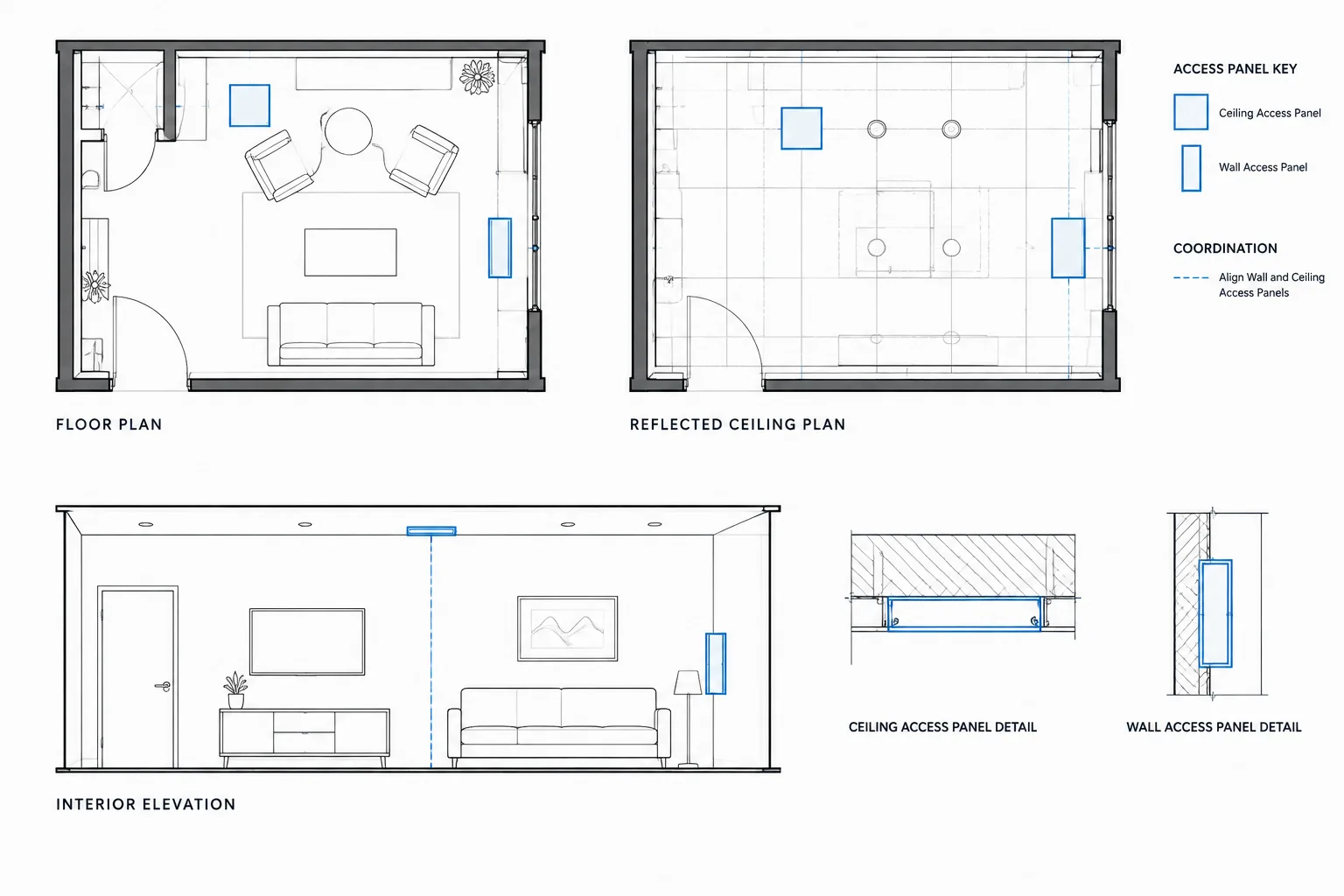
Drafting access panels in architectural CAD requires more than adding a standard symbol. Each panel must connect a concealed service point to a usable opening while remaining coordinated with partitions, ceilings, finishes, fixtures, equipment, and consultant drawings.
This guide explains how to represent wall and ceiling access panels, organize blocks and layers, manage tags and references, and review the resulting drawings. Treat all panel properties as project-specific information that must be confirmed with the responsible disciplines, applicable requirements, and selected products.
Access panels are small building components with an outsized coordination role. They provide service access to valves, dampers, controls, cleanouts, junction boxes, and other concealed equipment. If their locations are not coordinated early, they may conflict with ceiling grids, wall finishes, casework, lighting, structure, or prominent interior features.
In architectural CAD drawings, the goal is not merely to place an access-panel symbol. The drawing set should communicate where access is required, which surface contains the opening, who is responsible for the panel, and how the location relates to the equipment being served. The final size, construction, finish, rating, and hardware must be verified against project requirements, consultant information, applicable regulations, and selected products.
Start With the Equipment That Requires Access
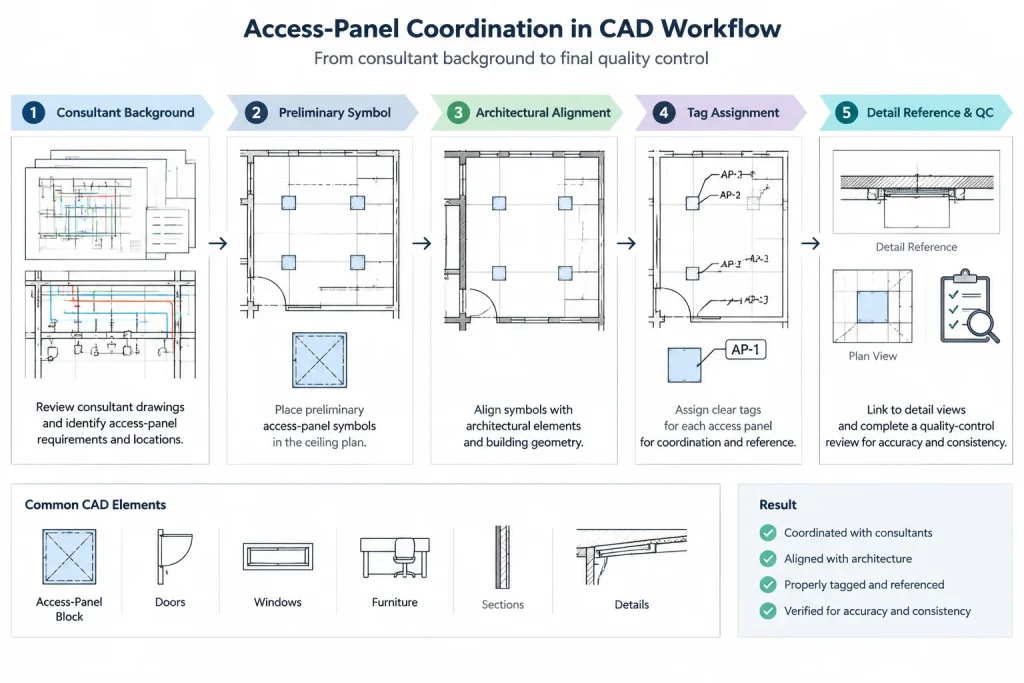
An access panel should have a clear reason for being shown. Begin by reviewing consultant backgrounds, coordination markups, reflected ceiling plans, wall elevations, and equipment information. Identify concealed items that must remain reachable for inspection, adjustment, cleaning, or replacement.
Typical coordination sources may include:
- Mechanical drawings showing dampers, valves, controls, or service points
- Plumbing drawings showing valves, traps, cleanouts, or concealed connections
- Electrical drawings showing junction boxes or control equipment
- Fire protection drawings showing concealed service components
- Specialty system drawings showing devices above ceilings or within walls
- Architectural details indicating concealed tracks, anchors, or operable assemblies
Do not assume every concealed component needs a separate architectural panel. Some items may be accessible through a removable ceiling system, an adjacent cabinet, a mechanical room, or another service opening. Ask the responsible consultant to confirm the required access approach rather than multiplying panels unnecessarily.
Distinguish Wall Panels From Ceiling Panels
Wall and ceiling access panels appear in different views and create different design constraints. Treating them as one generic symbol can make coordination difficult.
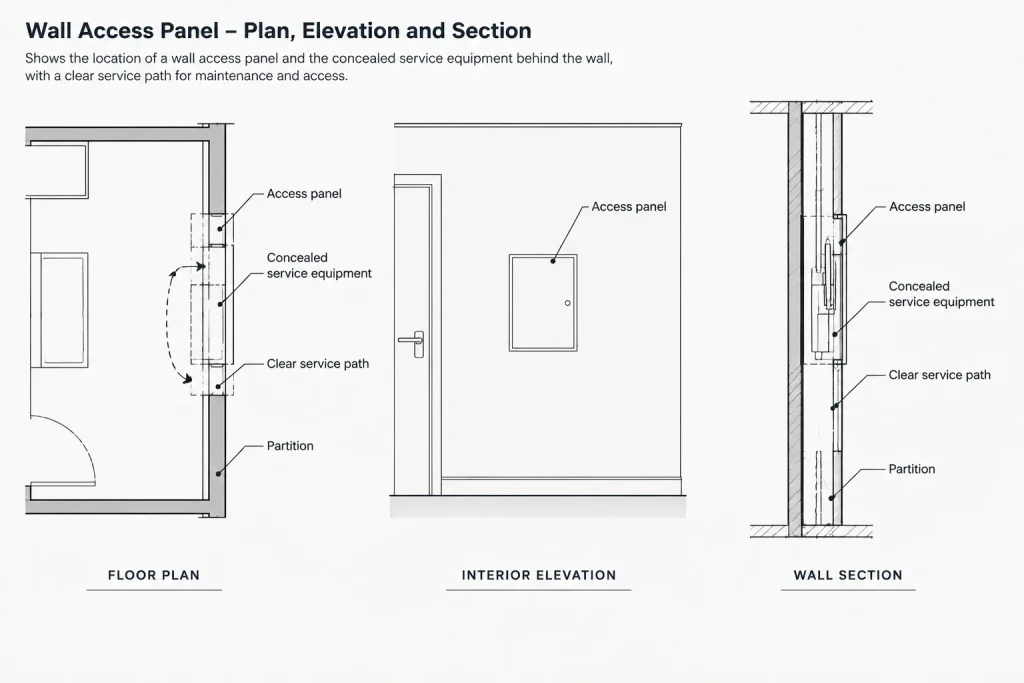
Wall access panels
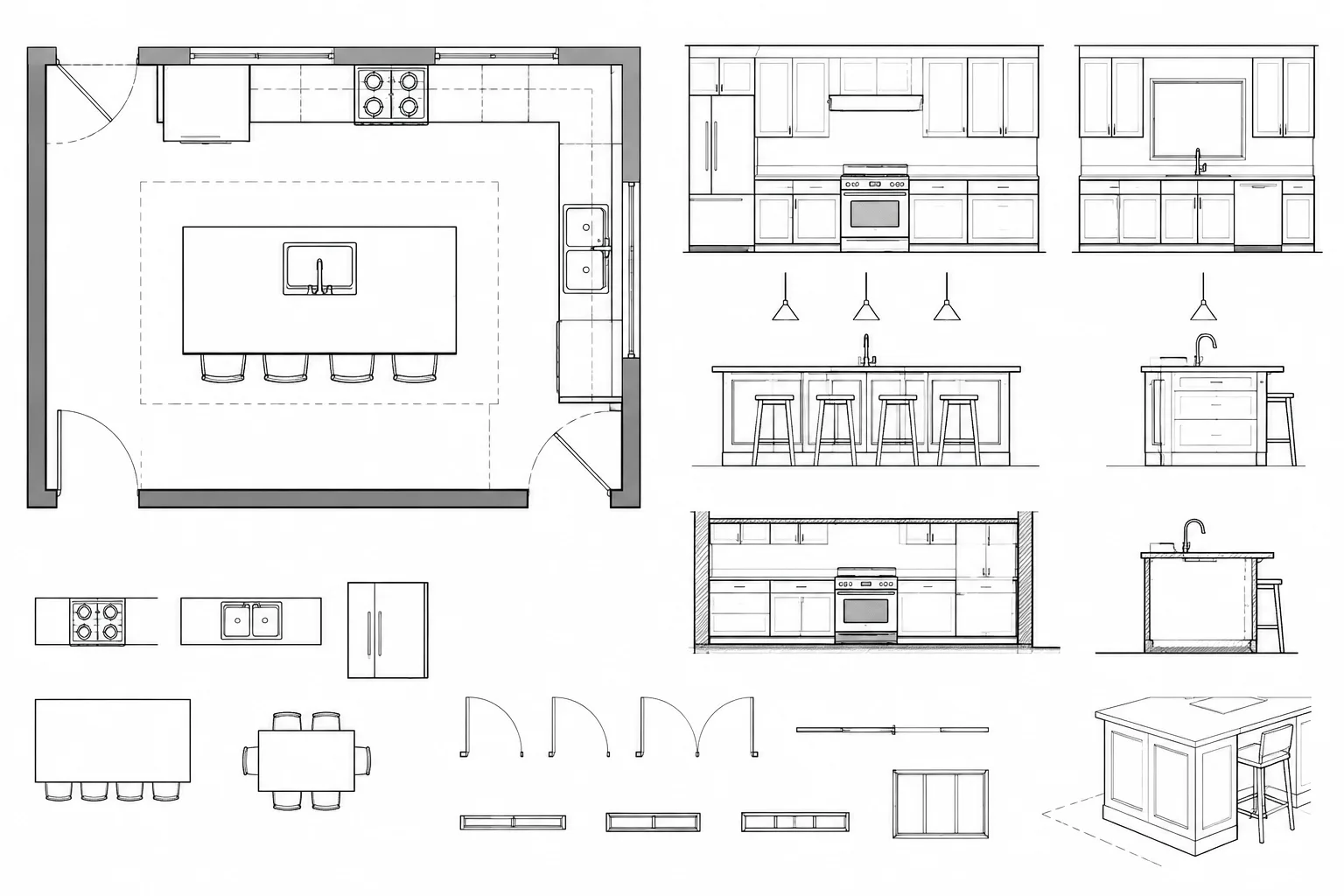
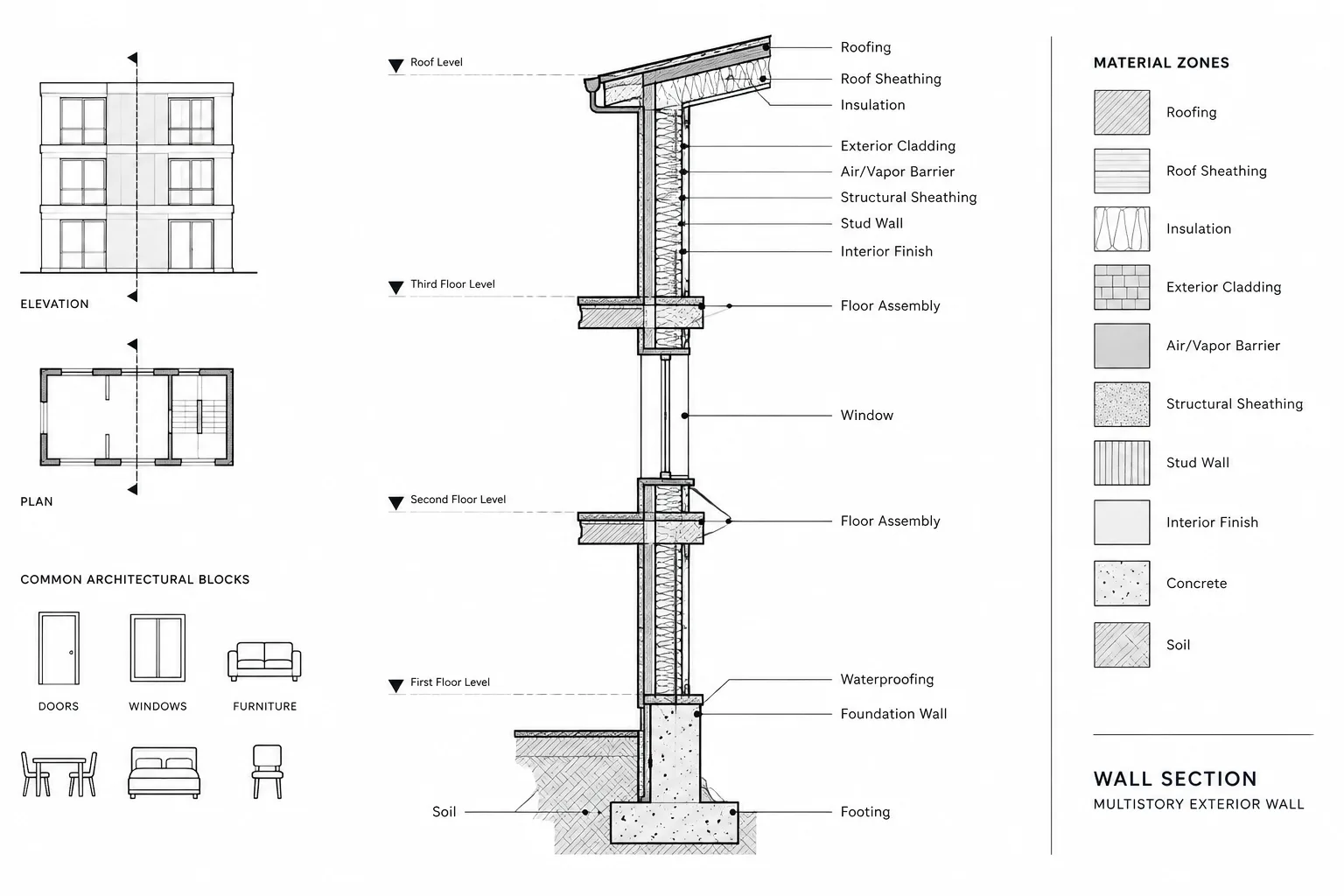
Show wall panels in the floor plan when their position affects room layout, wall construction, or adjacent equipment. An interior elevation is often more useful for setting the panel relative to tile joints, casework, accessories, or other visible features. A wall section may be needed when the opening must align with equipment concealed inside a partition or chase.
Ceiling access panels
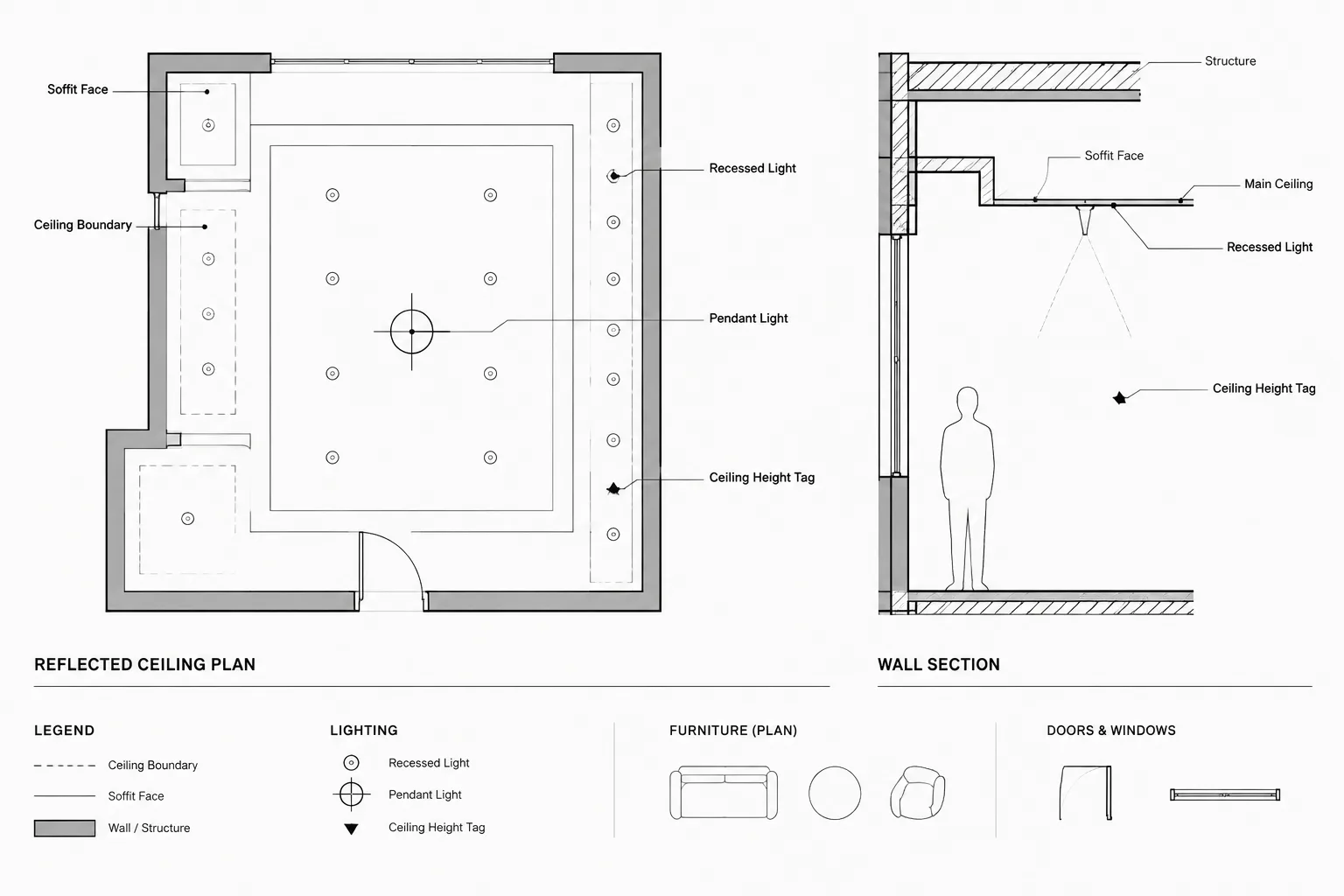
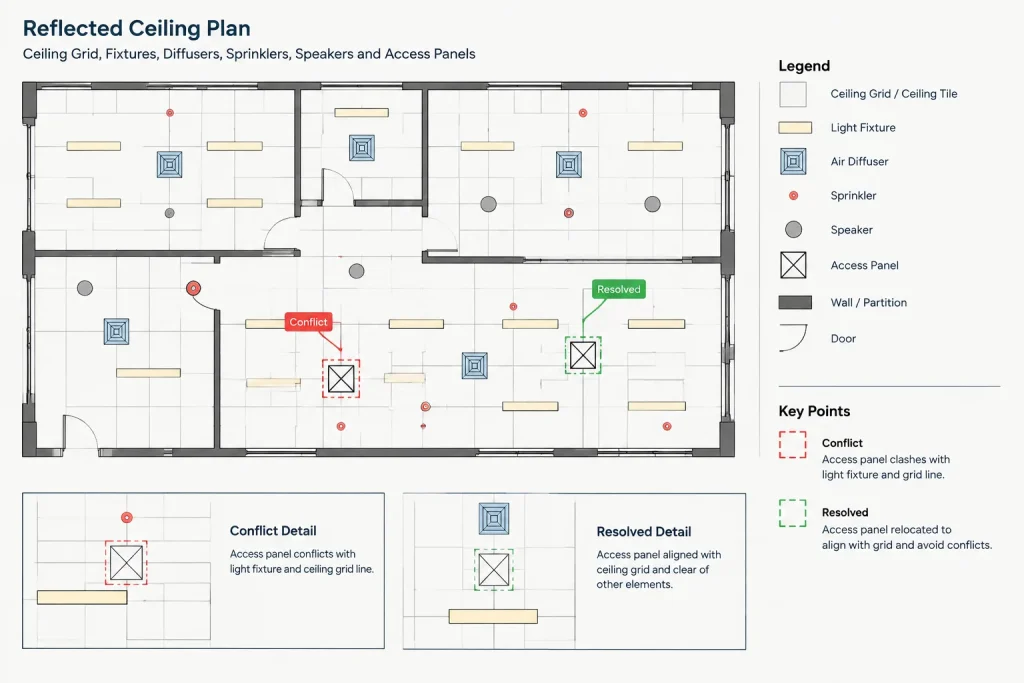
Show ceiling panels primarily on the reflected ceiling plan. Coordinate them with ceiling modules, lights, diffusers, sprinklers, speakers, sensors, and architectural features. Where a removable ceiling already provides access, confirm whether a separate panel is needed.
A ceiling panel may also require a plan reference or note if the related equipment is difficult to identify. Avoid showing the same panel independently in multiple views without a shared reference or coordination method.
Choose a Clear CAD Representation
The symbol should remain recognizable at the intended plotted scale without overpowering nearby information. A simple outline, center mark, tag, or dashed indication may be appropriate depending on office conventions and the view in which it appears.
| Drawing view | Useful graphic approach | Primary coordination purpose |
|---|---|---|
| Floor plan | Panel outline or wall symbol with tag | Locate the opening along the wall and relate it to room elements |
| Reflected ceiling plan | Panel boundary coordinated with the ceiling pattern | Resolve conflicts with ceiling devices and finishes |
| Interior elevation | Visible panel outline with finish or alignment notes | Coordinate appearance, mounting position, and adjacent features |
| Section or detail | Opening, frame, surrounding assembly, and served equipment | Explain construction relationships that are not clear in plan |
Keep symbolic graphics separate from literal construction geometry. A plan symbol may communicate location adequately, while a detail can explain the frame, wall or ceiling assembly, and finish relationship. Trying to place detail-level geometry into a general plan often creates clutter and maintenance problems.
Build an Access-Panel Block That Supports Coordination
A reusable CAD block can improve consistency, but it should be simple enough to edit and audit. Useful block content may include a panel outline, insertion point, identification attribute, and optional orientation indicator. Avoid embedding project-specific notes or unverified dimensions in a general library block.
Select the insertion point according to how the panel is normally positioned. A center insertion point can help with ceiling coordination, while an edge or corner insertion point may be more practical for wall panels. If one block cannot support both workflows clearly, maintain separate wall and ceiling symbols.
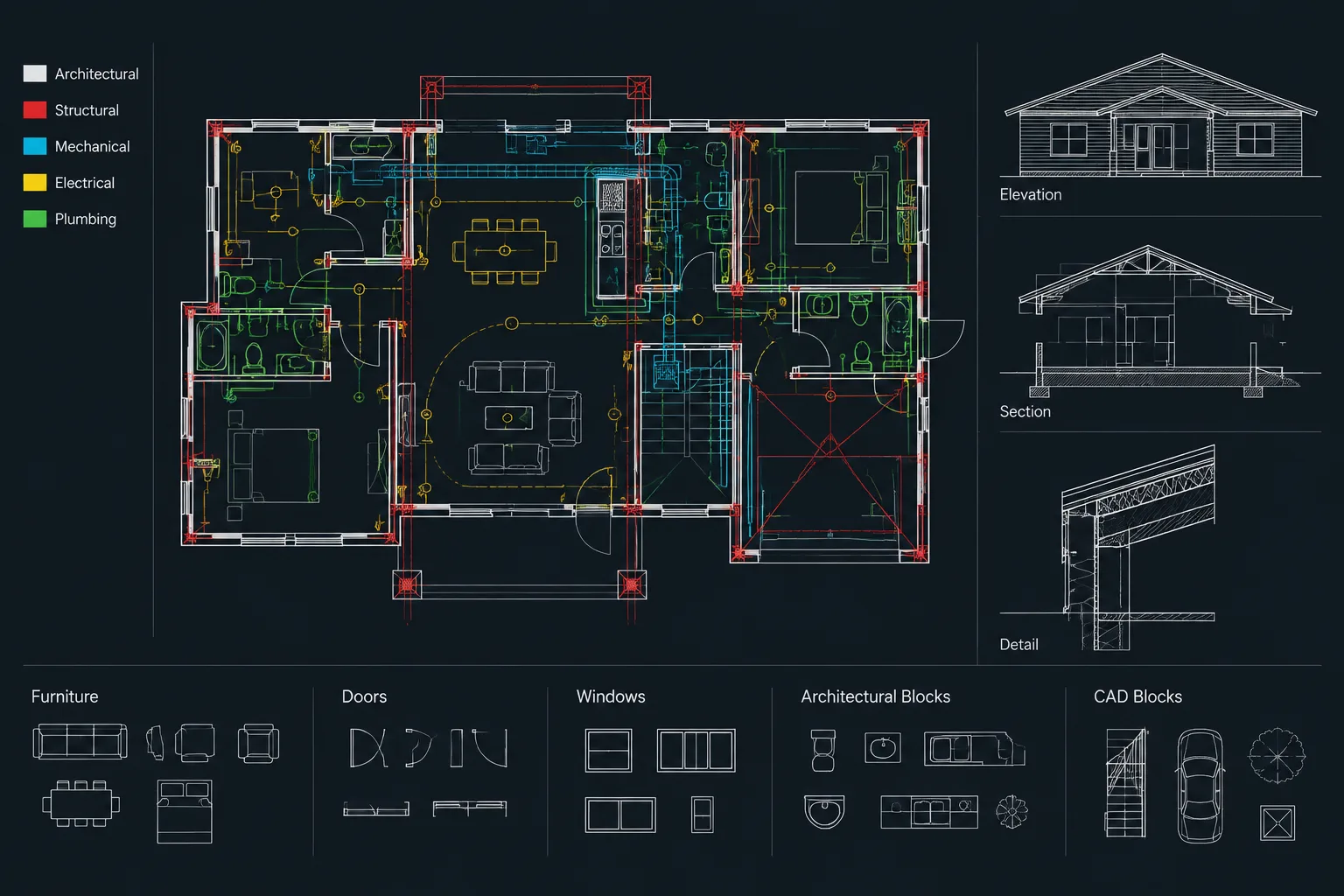
Place the block geometry on appropriate internal layers or use a carefully managed by-layer approach. Test the block in a sample plan and reflected ceiling plan to confirm that its lineweight, linetype, text, and visibility work at the intended output scales.
Use Tags Without Hiding the Design Intent
A short identifier can connect the symbol to a note, schedule, detail, or responsibility matrix. The tag should not imply information that has not been confirmed. If the panel type, finish, or rating is unresolved, use a controlled placeholder or coordination note rather than guessing.
Possible tag data fields include:
- Panel identifier
- Wall or ceiling location
- Served equipment reference
- Related detail reference
- Responsible discipline
- Status or coordination comment
Not every field needs to appear visibly beside the panel. Attributes can store drawing data while the plotted symbol displays only the information readers need. If attributes are used, establish a process for checking duplicate identifiers and outdated values.
Coordinate Placement in Plans and Elevations
Once the access need is confirmed, locate the panel so a person can reach and operate the concealed component. A panel placed near equipment is not necessarily useful if framing, ductwork, piping, casework, or another obstruction blocks the service path behind it.
For wall panels, review both sides of the partition. A location that appears clear in one room may open into shelving, a mirror, tile feature, or fixed equipment in the adjacent room. Check partition thickness and concealed services before selecting the accessible side.
For ceiling panels, compare the reflected ceiling plan with consultant backgrounds and ceiling details. Aligning a panel with the ceiling pattern can improve appearance, but visual alignment should not disconnect the opening from the equipment it serves. The service requirement and the architectural layout must be resolved together.
Assign Layers by Drawing Function
Access-panel graphics should be easy to display, review, and plot. Depending on the project layer system, panel outlines, tags, and coordination notes may belong on separate layers. This allows teams to control annotation independently from physical opening geometry.
A practical separation may include:
- Physical access-panel geometry
- Panel identification tags
- Temporary coordination markers
- Overhead or concealed references
- Detail-level components
Do not rely on color alone to distinguish unresolved items. Temporary coordination information should use a clear layer name, visible status note, or review marker and should be removed or resolved before issue.
Decide Where the Panel Is Documented
Showing every panel in every view can create discrepancies. Establish one primary location for each type of information. The reflected ceiling plan may control ceiling-panel placement, while an interior elevation controls the visual relationship to finish joints. A detail may control the construction interface without controlling the exact room location.
If the project uses a panel schedule or keyed note system, define what it controls. For example, a schedule might identify general type and finish, while drawings establish location and orientation. Consistent responsibility reduces the chance that one view is updated while another remains unchanged.
Review Access Panels During CAD Quality Control
Access panels should be included in routine drawing reviews rather than treated as late annotations. Use isolated layers, consultant overlays, and targeted visual checks to find conflicts.
- Confirm that every shown panel has a documented access purpose.
- Verify that required concealed equipment has a practical access route.
- Compare floor plans, reflected ceiling plans, elevations, sections, and details.
- Check for conflicts with lights, diffusers, sprinklers, casework, mirrors, tile layouts, and signage.
- Confirm that tags and references point to the correct notes or details.
- Look for duplicate panels created from overlapping consultant backgrounds.
- Remove temporary review symbols and unresolved placeholder text before issue.
- Verify panel properties with the responsible discipline and selected product information.
A Reliable Drafting Sequence
A disciplined workflow keeps access-panel coordination manageable:
- Identify concealed components requiring service access.
- Confirm whether access is provided by a panel, removable ceiling, cabinet, or adjacent space.
- Place a preliminary symbol on a dedicated coordination layer.
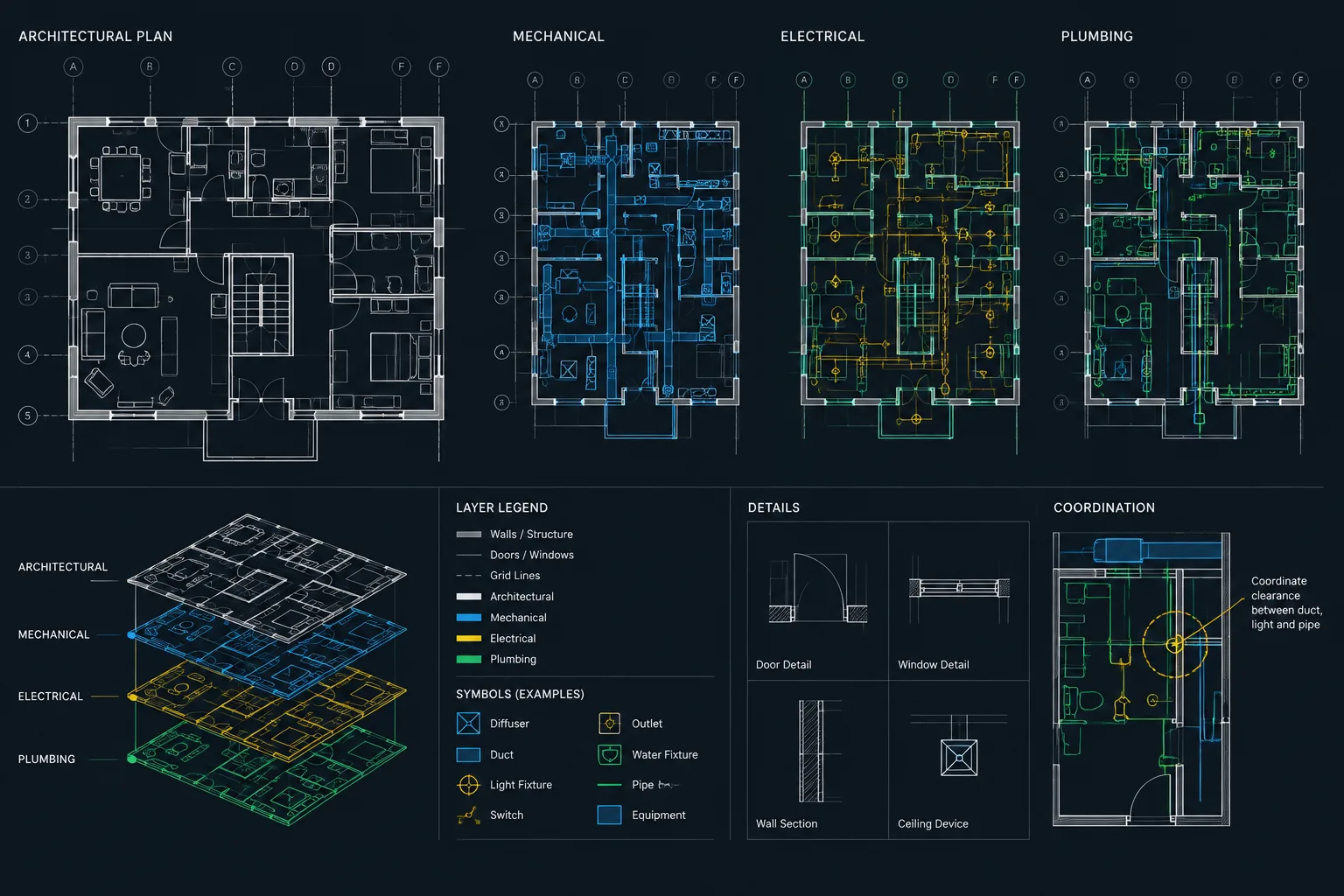
- Overlay architectural and consultant drawings to test the service path.
- Coordinate the panel with wall, ceiling, finish, and equipment layouts.
- Assign an identifier and connect it to the controlling note, schedule, or detail.
- Update all related views from the coordinated location.
- Run a final visual and cross-reference review before drawing issue.
Access panels are most successful when they are treated as interfaces between architecture and building systems. Clear CAD symbols, controlled tags, coordinated views, and deliberate quality checks help turn a small drawing element into a practical and maintainable part of the project documentation.
Use the Access Route as the Basis for Coordination
The most important relationship is not simply between the symbol and the concealed equipment. It is the complete route through which that equipment will be reached, observed, adjusted, cleaned, or removed. Review the opening location, the space immediately behind it, and any framing or building services between the panel and the service point.
This approach helps distinguish a coordinated access opening from a panel placed only because equipment appears nearby in plan. It also encourages the architectural team to ask whether the opening is controlled by a ceiling layout, wall finish, cabinet configuration, partition assembly, consultant requirement, or product selection.
Separate Confirmed Information From Coordination Data
Access-panel drawings often develop while consultant layouts and product information are still changing. CAD organization should make that uncertainty visible without allowing temporary assumptions to become final documentation.
- Confirmed information: Coordinated panel locations, approved identifiers, and established drawing references.
- Pending information: Unresolved finish, construction, hardware, responsibility, or equipment relationships.
- Temporary review data: Overlay marks, conflict indicators, and questions used only during coordination.
Keep temporary content distinct through layers, status notes, or review graphics. Before issue, verify that placeholders have either been resolved or clearly identified for the appropriate project process.
Maintain One Coordination Record
When a panel appears in several views, record which drawing controls its location and which views provide supporting information. A ceiling drawing may establish placement within the ceiling pattern, while a section explains the assembly and a tag connects the opening to the served equipment. This hierarchy helps reviewers understand which view should be revised first.
Revision checks should follow the panel across every related view and reference. Moving a symbol in one drawing without updating an elevation, detail callout, tag, or consultant markup can leave the set internally inconsistent even when each individual sheet appears clear.
Questions to Resolve During Team Review
- What concealed item is served, and which discipline confirms the access need?
- Which wall, ceiling, cabinet, or adjacent space provides the practical approach?
- Is the opening obstructed by framing, services, equipment, or fixed finishes?
- Which drawing controls the panel location, and which drawings explain its construction?
- Are the identifier and references consistent wherever the panel appears?
- Which properties remain subject to consultant, regulatory, or product verification?
Frequently Asked Questions
Where should a wall access panel be shown?
Show it in the views needed to communicate its location and relationships. A floor plan can locate it along a partition, an interior elevation can coordinate it with visible finishes and fixtures, and a section or detail can explain the concealed assembly.
Where should a ceiling access panel be documented?
The reflected ceiling plan is generally the primary architectural coordination view because it shows the panel relative to the ceiling pattern and nearby devices. Supporting notes, references, or details may be needed to identify the equipment served and clarify construction.
Does every concealed service component need its own panel?
No. Access may already be available through a removable ceiling, cabinet, adjacent room, or another opening. Confirm the intended service approach with the responsible discipline before adding a separate panel.
Should access panels use a single universal CAD block?
A shared block may work when its insertion point, orientation, attributes, and plotted appearance suit every required view. Separate wall and ceiling symbols are often clearer when the placement workflows or graphic needs differ.
What information belongs in an access-panel tag?
Include only information needed to identify and coordinate the panel, such as an identifier, served-equipment reference, related detail, or responsible discipline. Do not imply that unresolved properties have been confirmed.
How can access-panel conflicts be found during CAD review?
Overlay architectural and consultant drawings, isolate relevant layers, and compare plans, ceiling drawings, elevations, sections, and details. Review both the visible opening and the concealed route to the equipment it serves.