Choosing between blocks, groups, and xrefs is fundamentally a decision about reuse, selection, and file ownership. Although each method can make geometry easier to manage, they create different editing relationships and should not be treated as interchangeable.
This guide compares the methods in an architectural workflow and explains how to choose an approach for repeated components, temporary arrangements, shared backgrounds, and independently maintained DWG files.
Blocks, groups, and external references can all help organize architectural CAD geometry, but they solve different problems. Choosing the wrong method can make a drawing harder to edit, increase coordination risk, or create unnecessary file management work.
The practical distinction is simple: use a block when geometry should behave as a reusable object, a group when separate objects only need temporary or convenient selection, and an xref when content should remain connected to another drawing file. Understanding those roles makes it easier to structure floor plans, details, consultant backgrounds, title information, and repeated architectural components.
Quick Comparison
| Method | Primary purpose | Where source geometry is stored | Typical architectural use |
|---|---|---|---|
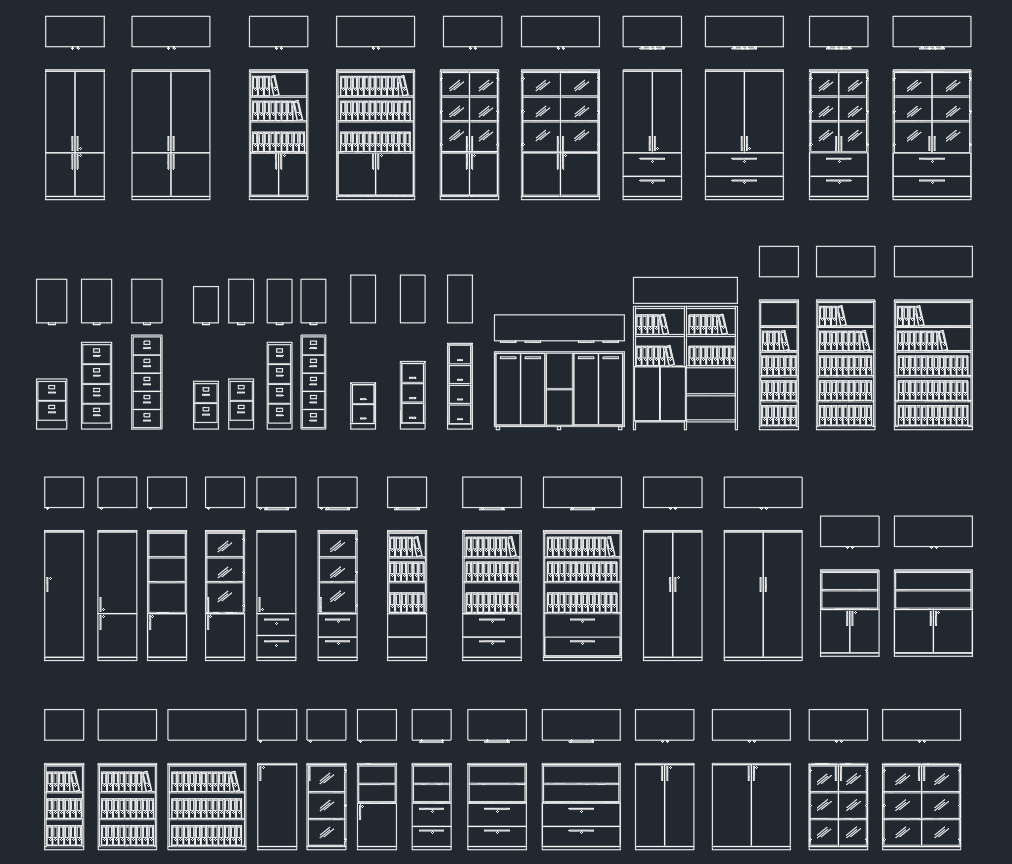
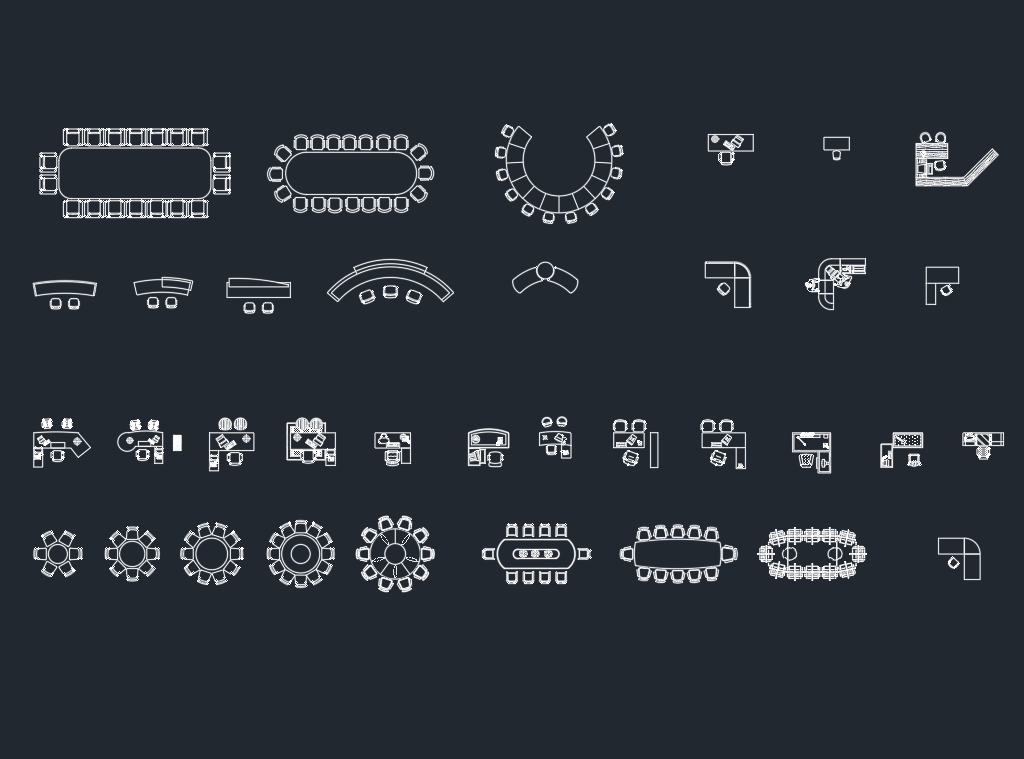
| Block | Create a reusable drawing object | Inside the current DWG as a block definition | Doors, furniture, fixtures, symbols, tags, and repeated details |
| Group | Select several independent objects together | As regular objects in the current DWG | Temporary design arrangements, drawing fragments, and related annotation |
| Xref | Display and coordinate an external drawing | In a separate linked DWG file | Floor-plan backgrounds, structural grids, consultant drawings, and shared base plans |
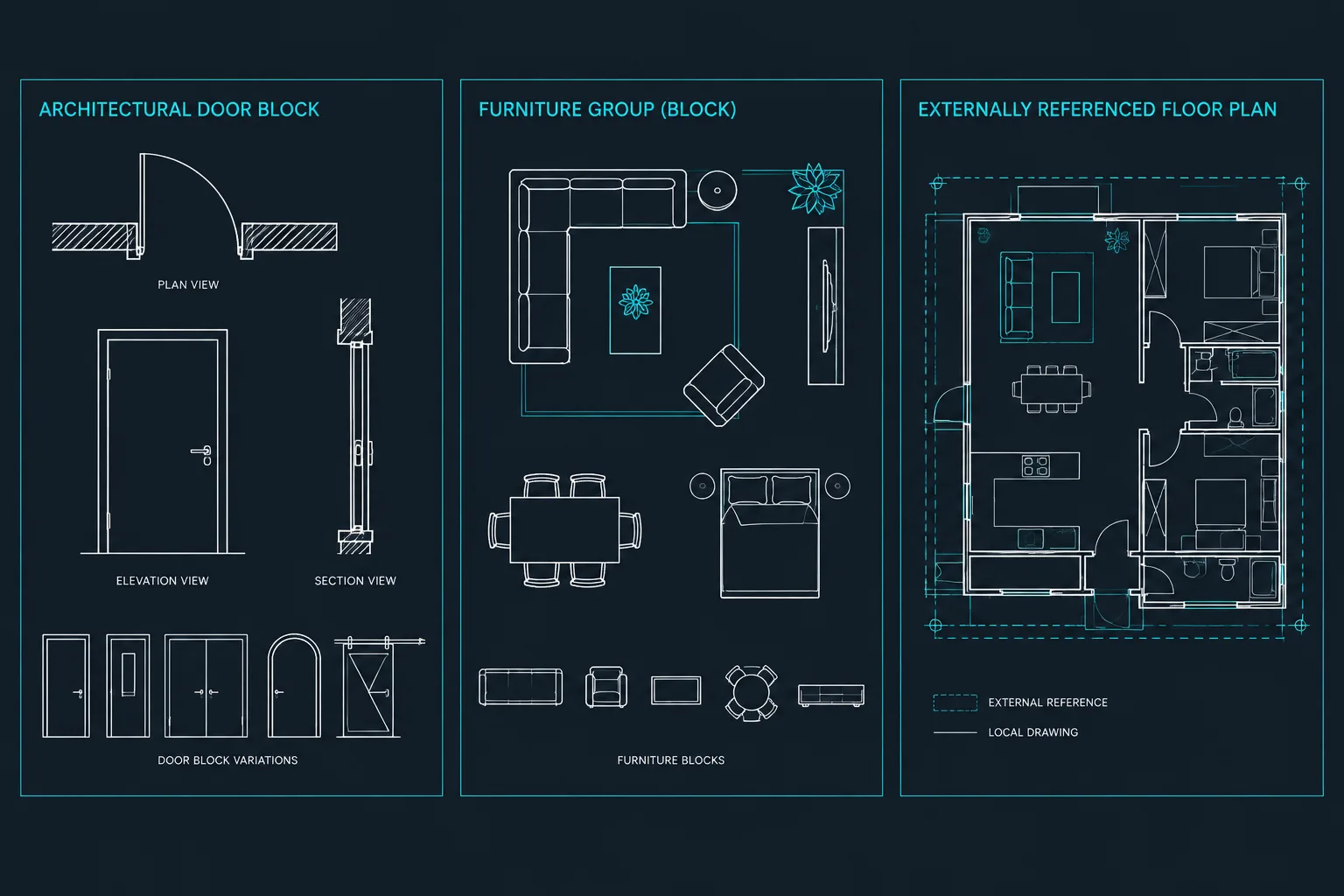
These methods are not mutually exclusive. An externally referenced floor plan may contain many blocks, while objects inside the host drawing may be grouped temporarily during sheet composition. The goal is not to select one method for an entire project, but to use each method at the correct organizational level.
When to Use a Block
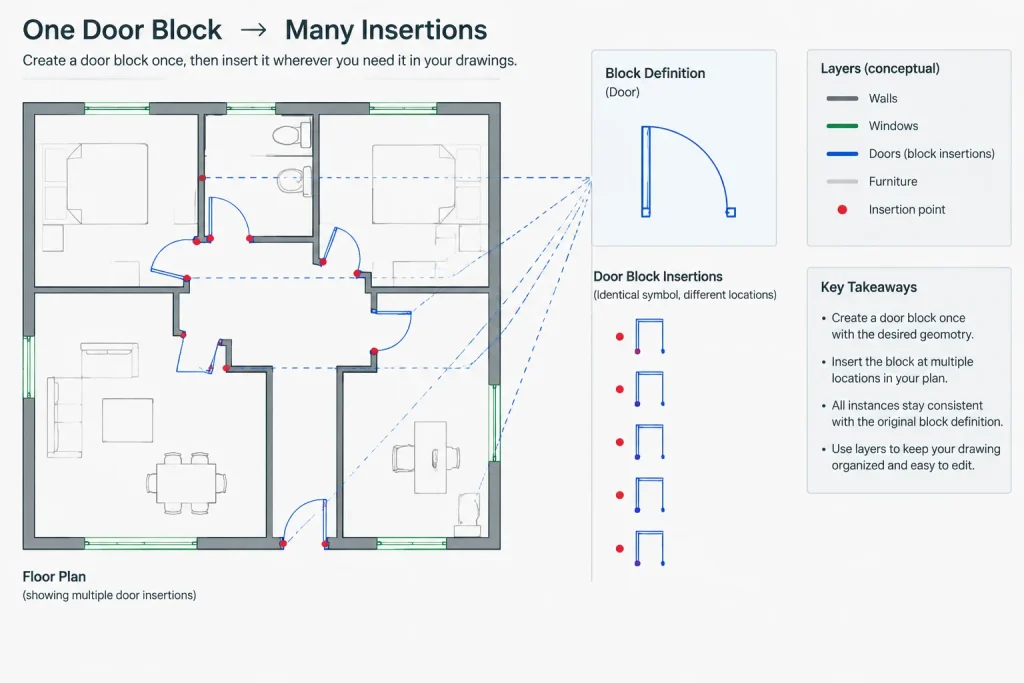
A block combines selected objects into a named definition. Each inserted instance refers to that definition, allowing repeated components to remain consistent. If the definition is revised correctly, its instances can update throughout the drawing.
Blocks are especially useful when an architectural element has a recognizable identity or is expected to repeat. Common examples include:
- Door, window, furniture, and plumbing fixture symbols
- North arrows, section markers, elevation markers, and other drawing symbols
- Repeated equipment footprints
- Standard detail components
- Room tags and other objects that use attributes
- Modular casework or layout components
Why blocks work well for repeated content
A block provides more than convenient selection. It establishes a reusable definition, a deliberate insertion point, and a consistent relationship among the objects it contains. Depending on how the block is prepared, instances may be rotated, scaled, mirrored, or assigned attribute values without redrawing the underlying component.
Good block construction still requires judgment. The insertion point should relate to how the object will be placed, such as a door jamb, fixture centerline, or equipment corner. Internal layers and object properties should support the office plotting workflow. Geometry should also be drawn in the intended units and checked before it enters a shared library.
When a block becomes a poor choice
A block may be unnecessary when the geometry is unique and will not be reused. It can also create confusion when unrelated objects are combined merely to make them easier to select. Large blocks containing extensive portions of a building can make localized editing awkward and may hide important layer or ownership distinctions.
Before creating a block, ask whether the objects represent a repeatable component. If the only goal is to move several temporary objects together, a group may be more appropriate.
When to Use a Group
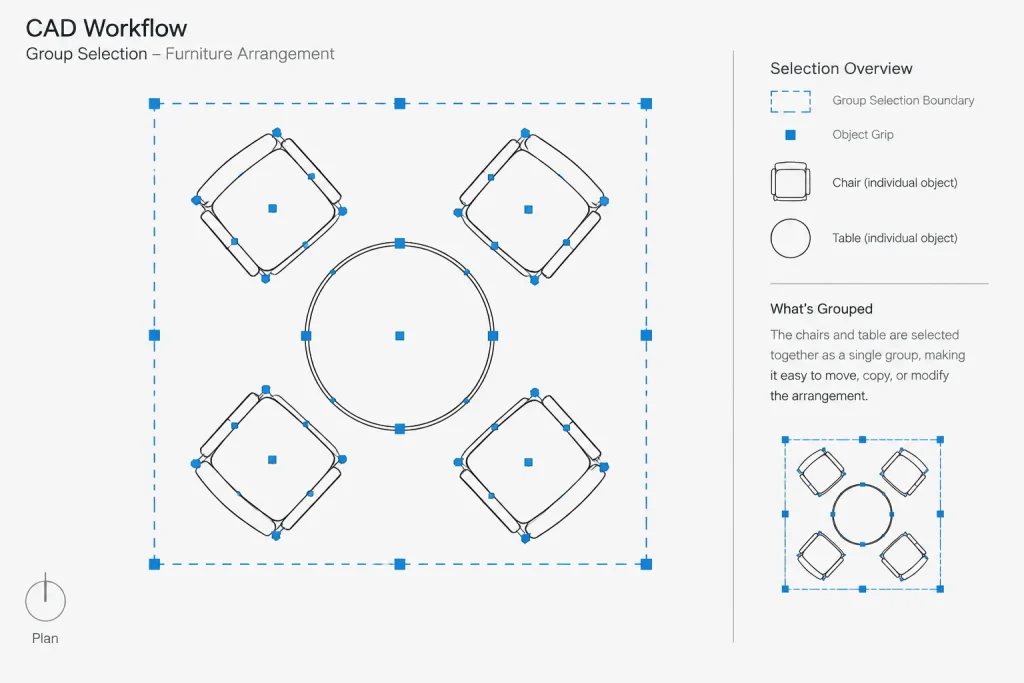
A group creates a selection relationship among existing objects without turning them into a reusable block definition. The objects retain their individual identities and properties. Grouping is therefore useful when several items should be selected together but still need to remain ordinary drawing objects.
Architectural examples include:
- A temporary furniture arrangement being tested during space planning
- A collection of notes and leaders that should move together
- A sketch option assembled from lines, arcs, and hatches
- A local drawing fragment being repositioned during cleanup
- Objects associated for editing without creating a library component
Groups are selection tools, not component definitions
The key limitation is that a group does not provide the centralized repeatability of a block. Copying a group produces copied objects, but those copies do not become coordinated instances of one shared definition. Editing one copied arrangement will not automatically revise the others.
Group behavior can also surprise users when selection settings differ between workstations or drawings. If group selection is enabled, selecting one member may select the full group. If it is disabled, the objects can be selected individually. When geometry seems to select unexpectedly, check whether it belongs to a group before assuming it is a block.
Avoid using groups as permanent substitutes for blocks
If a grouped item begins appearing repeatedly, needs a consistent insertion point, or should update across multiple locations, convert the concept into a properly constructed block. Groups are most effective as lightweight editing aids rather than as the foundation of a component library.
When to Use an Xref
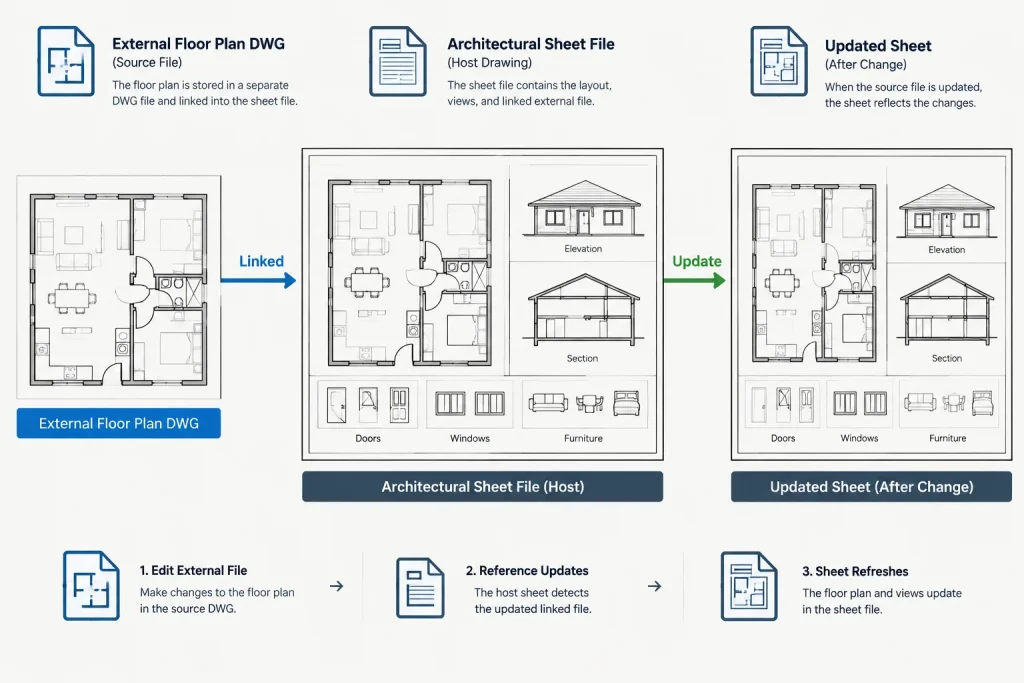
An xref displays another DWG inside the current drawing while leaving the source content in its external file. The host drawing stores reference information rather than absorbing the full source drawing as native geometry.
This makes xrefs appropriate when file ownership, discipline separation, or coordinated updating matters. Typical uses include:
- Referencing an architectural floor plan into reflected ceiling or finish drawings
- Bringing structural or civil backgrounds into an architectural file
- Using a shared base plan across several drawing files
- Assembling building wings or floor areas maintained by different team members
- Referencing model drawings into sheet files
The main advantage is external coordination
When the source DWG changes and the reference is reloaded, the host drawing displays the updated content. This reduces the need to copy revised backgrounds repeatedly. It also helps clarify which team or file controls the source geometry.
That connection introduces management responsibilities. File paths must remain valid, referenced drawings must use compatible units and coordinates, and teams must understand which file should be edited. An xref should not be modified indirectly by tracing over it in the host and assuming the source has changed.
Attachment and overlay behavior
When an xref is attached, it can continue into drawings that reference the host. When it is overlaid, it is visible in the immediate host but does not continue through the reference chain. Overlay is often useful for limiting unwanted nested backgrounds, while attachment is appropriate when the nested reference is intentionally part of the assembled model. The correct choice depends on the project file structure rather than a universal rule.
A Practical Decision Process
Use the following questions before organizing new geometry:
- Will the item repeat within this drawing? Consider a block.
- Should all instances share one definition? Use a block rather than copied groups.
- Do the objects only need to be selected or moved together? Consider a group.
- Is another DWG the authoritative source? Use an xref.
- Must another person or discipline update the content independently? An xref usually provides clearer ownership.
- Does the content need to travel as part of a component library? A well-prepared block is generally more suitable than a group.
Common Workflow Mistakes
Exploding blocks for convenience
Exploding a block removes its relationship to the shared definition and can create many loose objects. Before exploding, determine whether the required change belongs in the block definition, in a separate block variation, or as an instance-specific property. Preserve the block when repeatability still has value.
Copying consultant backgrounds into the host drawing
Copied geometry can become outdated without an obvious warning. If the consultant drawing remains an active coordination source, referencing it externally usually provides a clearer update path. Any edits needed for presentation should be handled carefully without implying that the host copy is authoritative.
Using an xref for a small repeated symbol
An external file can be referenced many times, but that does not make it the most efficient choice for every repeated object. Small symbols and standard components are usually easier to manage as blocks. Reserve xrefs for content that benefits from independent file ownership or coordinated external updates.
Grouping objects without naming or documenting the purpose
Unclear groups can make selection behavior appear unpredictable. Use groups intentionally, remove obsolete groups, and avoid grouping large areas solely to prevent accidental editing. Layer locking may be a clearer control when the real goal is protection rather than collective selection.
Quality-Control Checklist
- Confirm that blocks have logical names and insertion points.
- Check block geometry, internal layers, and object properties before reuse.
- Verify whether repeated copied groups should become blocks.
- Review xref paths and confirm that all required files are available.
- Check referenced drawings for correct units, origin, rotation, and alignment.
- Review nested xrefs for unintended attachments or duplicate backgrounds.
- Reload references before issuing drawings so the latest available source is displayed.
- Do not bind or explode coordinated content without understanding the downstream effect.
- Inspect the final plotted sheets rather than relying only on model-space appearance.
Build a Clear Hierarchy
A reliable architectural CAD workflow uses blocks, groups, and xrefs at different levels. Blocks organize repeatable components, groups assist with local selection, and xrefs connect independently maintained drawings. When those roles remain clear, files are easier to edit, backgrounds are easier to update, and repeated content is less likely to drift out of coordination.
The best choice is determined by ownership and editing intent. Ask where the source should live, who should control it, whether it must update elsewhere, and whether it represents a true reusable object. Those questions usually reveal the appropriate CAD method before file complexity becomes a problem.
Apply the Ownership Test Before Organizing Geometry
A useful final check is to identify the authoritative source of the geometry. If the source should be a reusable definition within the current drawing, a block is usually the appropriate structure. If the objects must remain independent and only need convenient collective selection, a group is the lighter organizational choice. If another DWG must remain responsible for the content, an xref preserves that external relationship.
This ownership test is particularly helpful during project handoffs. A recipient should be able to distinguish project content that can be edited locally from content controlled by a block definition or another drawing file. Clear block names, intentional groups, and understandable reference organization reduce the need to investigate how every object was assembled.
Review the Workflow When Its Purpose Changes
CAD organization should evolve with the drawing. A temporary grouped layout may later become a repeatable block. A copied background may need to become an xref when another team begins maintaining it. Conversely, externally managed content may require a deliberate project-closeout treatment established by the responsible team.
Do not change methods merely to simplify a single edit. First consider how the change will affect repeated instances, linked files, drawing ownership, and future revisions. The best method is the one that communicates the intended editing relationship as clearly as it organizes the visible geometry.
Frequently Asked Questions
Is a group the same as a block in AutoCAD?
No. A group associates separate objects for convenient selection, while a block creates a reusable definition whose inserted instances share a common source.
Should repeated architectural symbols be blocks or xrefs?
Repeated symbols are generally better organized as blocks when they belong to the drawing or a component library. An xref is more appropriate when the source must remain in a separately maintained DWG.
Can a referenced drawing contain blocks?
Yes. Blocks and xrefs operate at different organizational levels. A referenced floor plan can contain blocks for doors, fixtures, tags, furniture, and other repeated content.
Why does selecting one object sometimes select several objects?
The object may belong to a group, or it may be part of a block insertion. Check the object relationship before exploding or separating geometry, because doing so may remove useful organization.
When should a copied arrangement become a block?
Consider creating a block when the arrangement develops a repeatable identity, needs a consistent insertion point, or should be revised through one shared definition rather than edited copy by copy.
What should be checked before sharing a drawing with xrefs?
Confirm that the required referenced files are available, paths remain usable, and the drawings align as intended. Review the assembled sheets so missing, duplicated, or outdated backgrounds can be identified before delivery.