Roof drainage CAD coordination is a drawing-management task as much as a drafting task. The roof plan must make surface flow understandable while connecting each outlet to the architectural enclosure, structure, plumbing layout, exterior appearance, and site discharge strategy.
This guide explains how to organize roof drainage graphics, coordinate component locations, and review the information across related views. Use the workflow as a drafting and quality-control framework, while relying on the responsible design professionals for project-specific selection, sizing, routing, and compliance decisions.
Roof drainage drawings connect architectural roof geometry with plumbing, structural, civil, and envelope information. A roof plan may appear straightforward, but unclear slope graphics, misplaced drain symbols, or disconnected downspouts can create conflicts across several disciplines.
A reliable roof drainage CAD workflow should communicate where water is intended to travel, where it leaves the roof, and how each drainage component relates to walls, parapets, structure, and the site. The architectural drawings do not need to duplicate every consultant detail. They do need to provide a coordinated graphic framework that can be checked across plans, elevations, sections, and details.
Start with the correct backgrounds
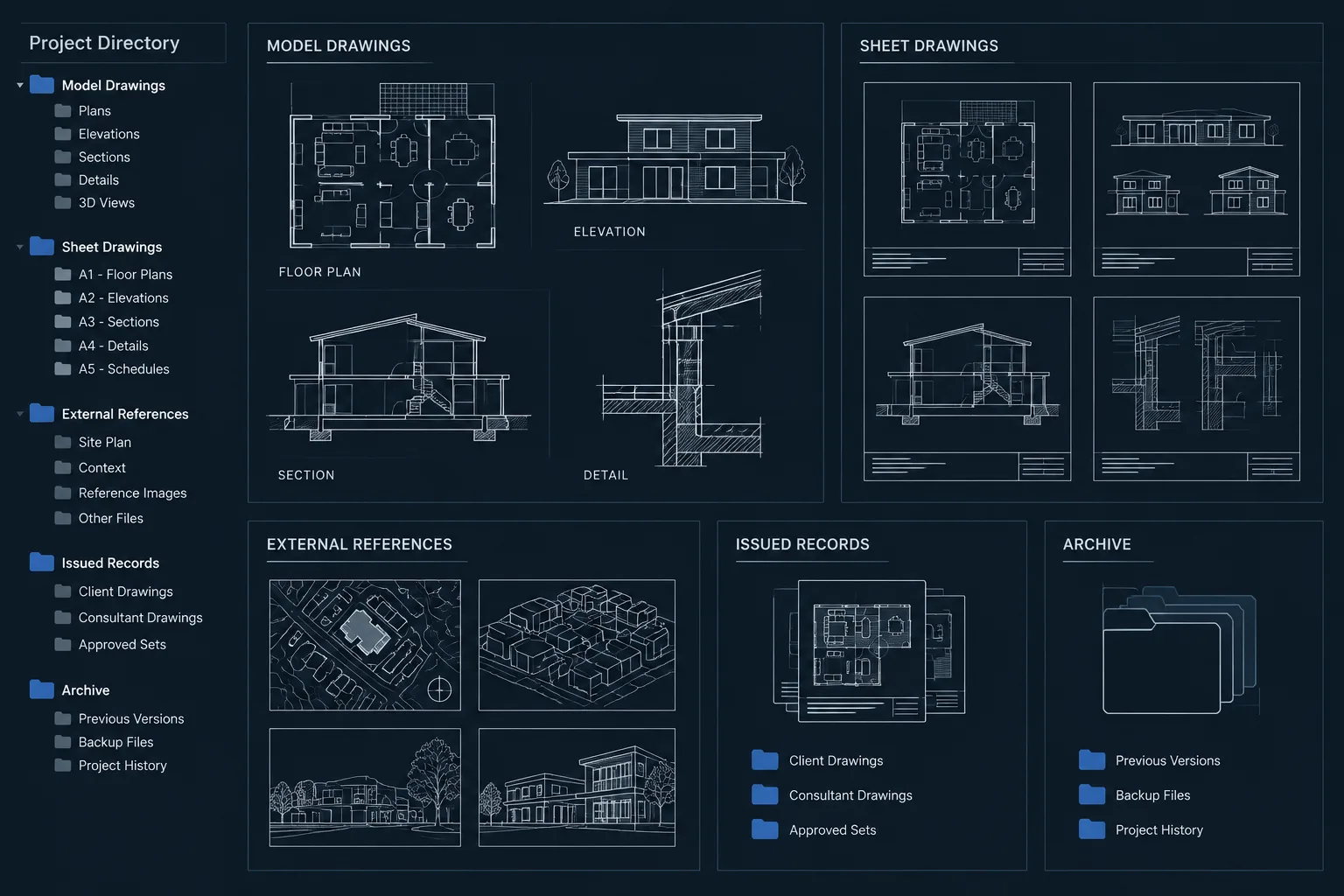
Before placing drainage symbols, assemble the current reference information. Depending on the project, useful backgrounds may include the architectural roof plan, floor plans below, structural framing, plumbing layouts, exterior elevations, building sections, and civil grading or stormwater information.
Use coordinated external references or another controlled background method rather than copying consultant geometry into the architectural file. A referenced workflow makes it easier to identify changes and reduces the risk of maintaining several independent versions of the same information.
Check the following before drafting:
- Roof boundaries, parapets, overhangs, canopies, and lower roof areas
- Roof openings, skylights, equipment curbs, and access routes
- Structural framing or deck direction where relevant to slope formation
- Plumbing drain and leader locations
- Exterior wall zones available for scuppers or downspouts
- Ground-level discharge areas and civil drainage connections
Do not assume that a symbol shown in a consultant background has been fully coordinated. Confirm that its position works with the architectural enclosure, structure, ceiling space, and exterior appearance.
Separate roof geometry from drainage information
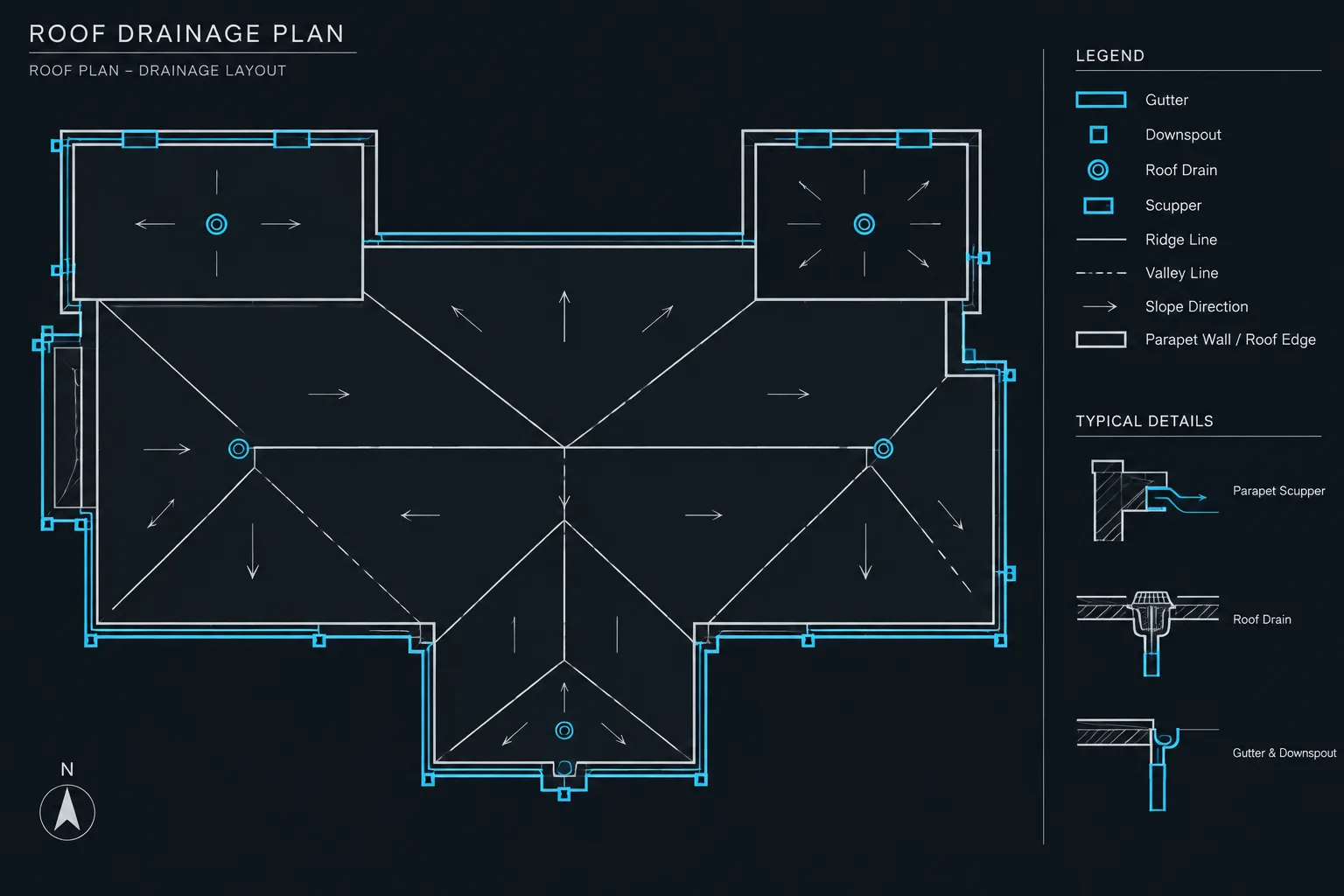
Roof edges, ridges, valleys, crickets, slope arrows, drains, and downspouts perform different graphic jobs. Keeping them on organized layers allows the drawing team to adjust visibility and plotting without editing individual objects.
| Information group | Typical content | Coordination purpose |
|---|---|---|
| Roof boundaries | Edges, parapets, overhangs, and openings | Defines the area collecting and directing water |
| Slope graphics | Slope arrows, ridges, valleys, and crickets | Explains intended surface drainage |
| Primary drainage | Roof drains, gutters, scuppers, and leaders | Shows the principal collection and discharge route |
| Secondary drainage | Overflow components and associated notes | Identifies a separate drainage path where required by the project design |
| Annotation | Tags, elevations, notes, and detail references | Connects plan graphics to schedules, sections, and details |
Layer names and colors should follow the office template rather than an improvised project-only system. The important point is functional separation. For example, a designer should be able to hide drainage annotations temporarily without also hiding the roof outline.
Map each drainage area before placing symbols
Divide the roof mentally or graphically into drainage areas. Boundaries may be created by ridges, parapets, changes in roof elevation, expansion joints, or transitions between roof systems. Then determine the intended outlet for each area using the project design information.
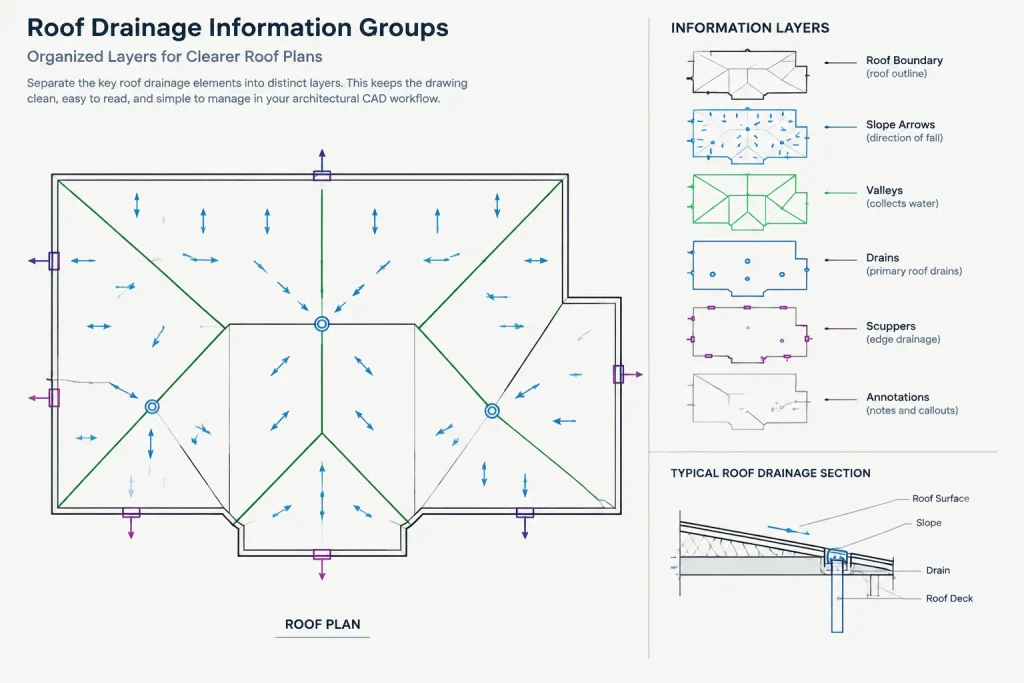
This step helps expose incomplete layouts. If a portion of the roof has no clear route to an outlet, the problem is easier to recognize before detailed annotation is added.
Use slope arrows as a coordinated system
Slope arrows should collectively describe surface flow rather than act as isolated decorations. Orient arrows consistently and place them where they remain readable around equipment, notes, and hatch patterns. Avoid placing arrows directly over dense background geometry.
Use the office convention for arrow direction and labeling. Some drawing sets use arrows to indicate downward flow, while other graphic systems may emphasize the direction of rising elevation. The meaning must be consistent within the project and explained when it is not self-evident.
Where spot elevations or slope values are provided by the responsible designer, coordinate them with the roof geometry. Do not calculate or invent values merely to complete the appearance of the plan.
Show ridges, valleys, and crickets clearly
Ridges and valleys establish drainage boundaries and should be distinguishable from ordinary roof edges or hidden construction. Crickets and other localized slope transitions are especially important near curbs, walls, and other interruptions because they affect both plan graphics and detailing.
Check that these features agree with the applicable sections and details. A cricket shown only as a pair of plan lines may be ambiguous unless its high and low sides are understandable.
Place drainage components with real constraints in mind
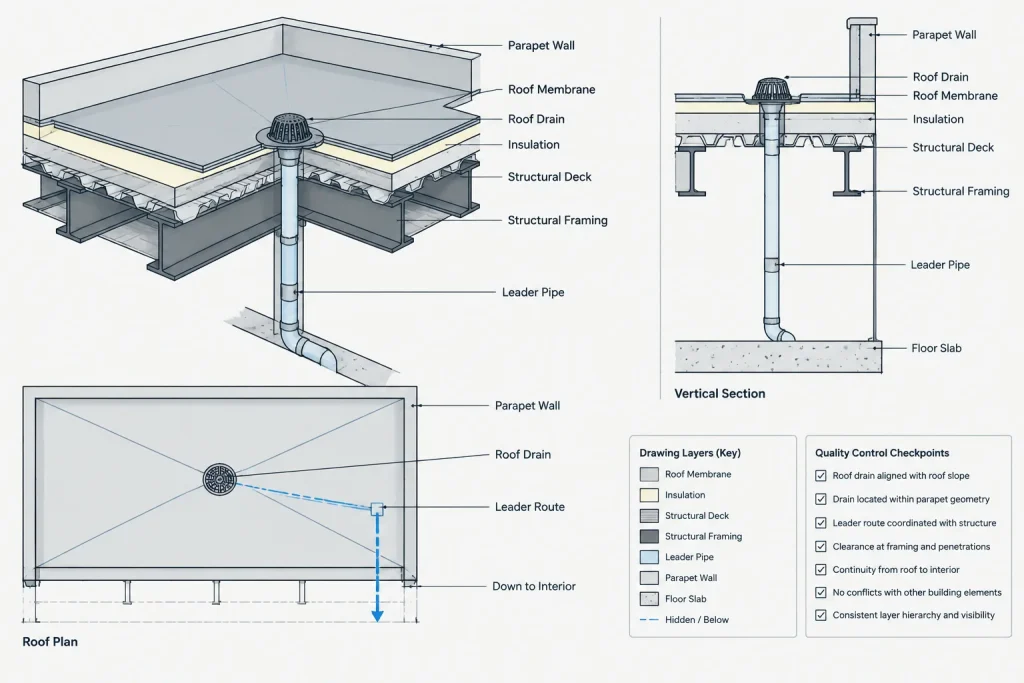
A roof drain symbol represents more than a point on the roof. Its location can affect framing, piping, ceiling coordination, access, insulation transitions, and waterproofing details. Before finalizing a drain position, review the plan below and the structural and plumbing backgrounds.
For each component, consider the following relationships:
- Roof drains: Verify alignment with the intended low area and check for conflicts below.
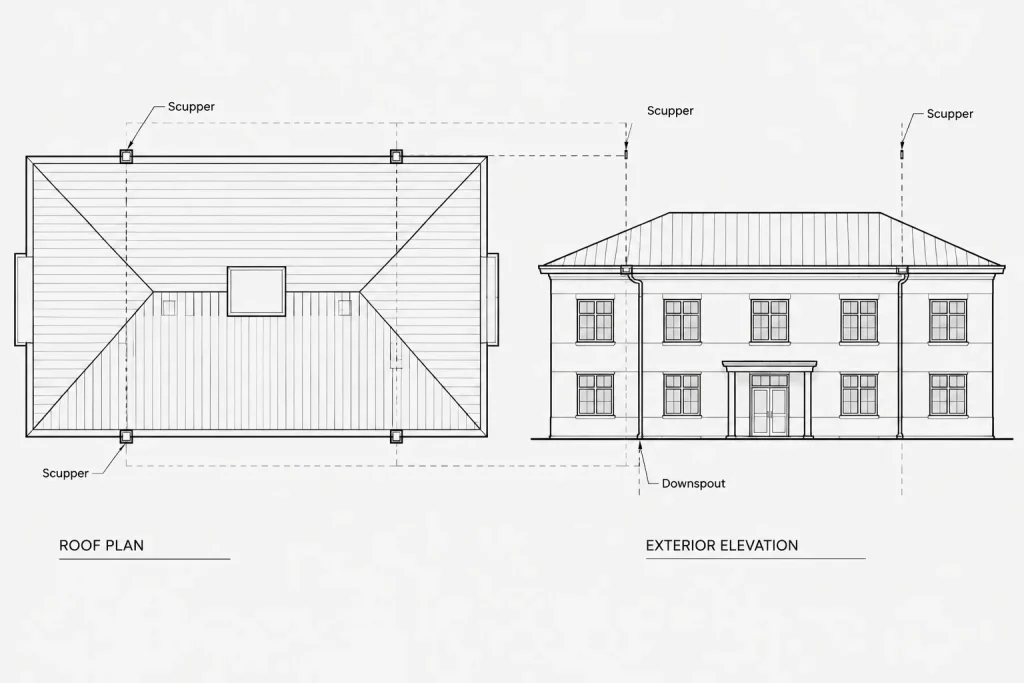
- Scuppers: Coordinate the opening with parapet construction, exterior elevations, and wall details.
- Gutters: Show their extent and relationship to roof edges, fascia conditions, and downspout locations.
- Downspouts or leaders: Trace the route through elevations and plans rather than showing an unexplained endpoint.
- Overflow components: Distinguish them graphically from primary drainage and coordinate their purpose and discharge route with the responsible consultants.
Drainage provisions and overflow arrangements can be governed by adopted codes, local requirements, engineering criteria, and project-specific conditions. Verify the applicable design rather than relying on a generic CAD block or a previous project.
Build symbols that support coordination
Use consistent blocks for recurring components such as roof drains, overflow drains, scuppers, and downspouts. A useful symbol should have a logical insertion point, controlled layers, readable linework, and enough distinction to prevent confusion with nearby components.
If attributes are used, limit them to information the team will maintain, such as an identifier or type designation. Avoid embedding unverified sizes, capacities, or specifications in a generic library block. Those values may vary by project and may be controlled by another discipline.
Symbols should remain understandable in the plotted roof plan. Review them at the intended sheet scale, not only while zoomed closely into model space.
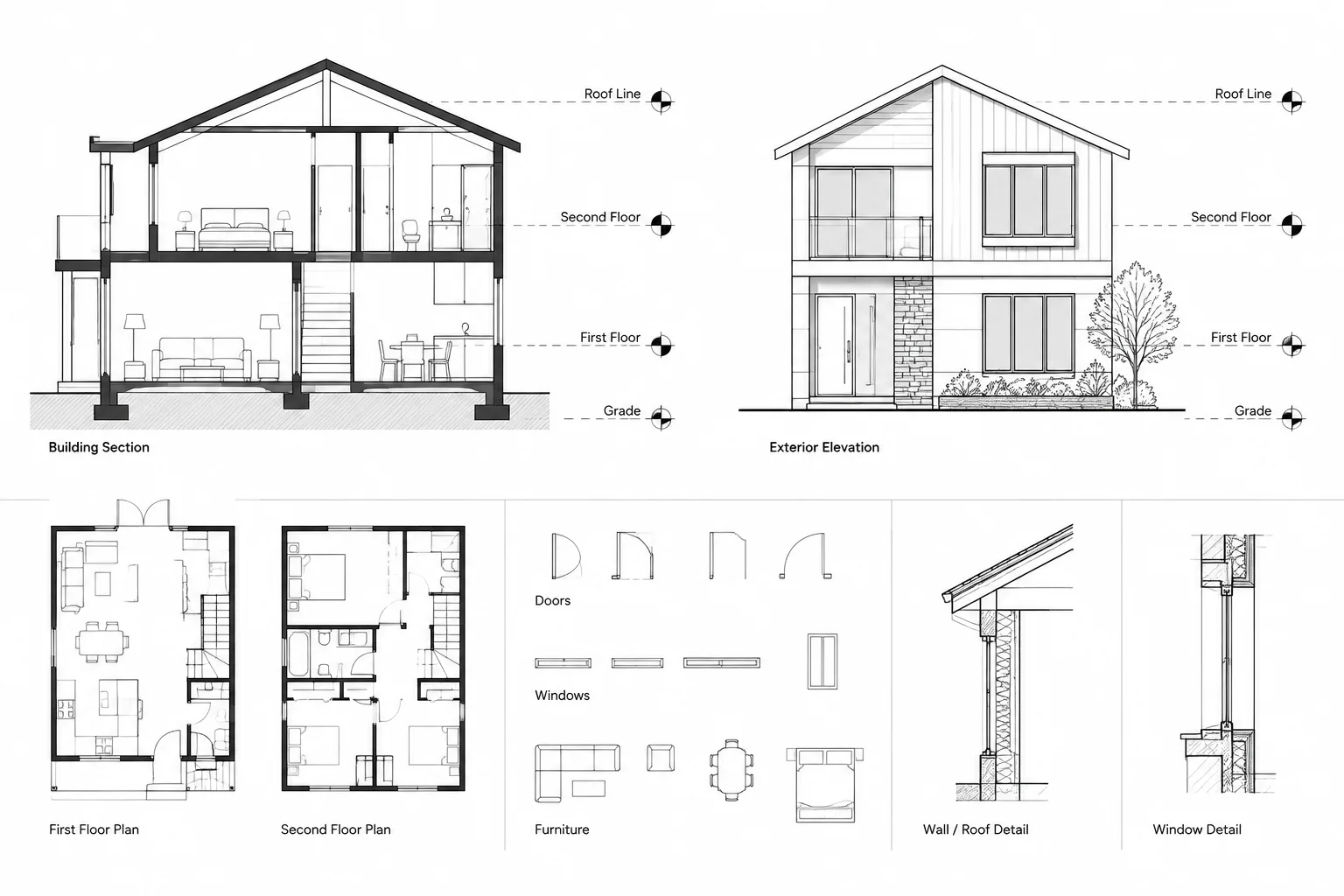
Coordinate plans with elevations, sections, and details
Roof drainage cannot be verified from the roof plan alone. Downspouts affect exterior elevations, scuppers penetrate parapets, and internal leaders may pass through occupied or concealed spaces.
Exterior elevations
Show visible gutters, conductor heads, downspouts, scuppers, and discharge features where they affect the facade. Compare horizontal locations with the roof plan and confirm that vertical runs do not conflict with windows, doors, control joints, signage, or architectural features.
Building and wall sections
Sections should clarify roof elevation changes, parapet relationships, drainage openings, and vertical routing where those conditions are cut. A section is also useful for confirming whether the plan representation of a slope transition is physically understandable.
Details
Use detail callouts at conditions that require construction clarification, such as drains, scuppers, gutters, parapets, and roof-edge transitions. Keep the plan symbol and detail reference synchronized. If a component type changes, review both the callout and the referenced detail.
A practical CAD drafting sequence
-
Attach or refresh the current architectural and consultant backgrounds.
-
Confirm roof boundaries, openings, elevation changes, and obstructions.
-
Identify drainage areas and their intended outlets.
-
Draft ridges, valleys, crickets, and slope arrows on controlled layers.
-
Place coordinated drain, scupper, gutter, and downspout symbols.
-
Add only verified elevations, slope information, identifiers, and notes.
-
Coordinate visible elements with exterior elevations.
-
Review vertical routes against floor plans, ceilings, structure, and sections.
-
Add detail references and confirm that each reference points to the intended condition.
-
Plot a review sheet and check hierarchy, legibility, and background visibility.
Roof drainage CAD quality-control checklist
- Every roof area has an understandable drainage route.
- Slope arrows use one consistent graphic convention.
- Ridges, valleys, crickets, and roof edges are visually distinct.
- Drain symbols align with the latest plumbing background.
- Drain and leader positions have been reviewed against structural information.
- Scuppers and downspouts agree with exterior elevations.
- Vertical routes have been checked against plans and ceiling conditions below.
- Primary and secondary drainage components cannot be easily confused.
- Tags, notes, and detail references are current and readable.
- No generic block contains unverified project data.
- The plotted sheet communicates clearly without relying on CAD layer colors.
Treat drainage as a connected drawing system
The most useful roof drainage CAD plan is not the one with the greatest number of arrows or notes. It is the one that lets a reviewer follow water from a roof surface to a coordinated outlet while understanding the related building conditions.
Organized layers, controlled symbols, current backgrounds, and cross-view checks make that path easier to verify. Final component selection, sizing, routing, and code compliance should remain coordinated with the qualified professionals responsible for those decisions.
Manage roof drainage changes across the drawing set
Roof drainage information often changes as roof geometry, equipment, framing, piping, or facade conditions develop. A moved outlet can affect slope graphics, leader routing, elevations, sections, details, tags, and consultant backgrounds. Treat each revision as a connected drawing-set change rather than a local symbol edit.
Record the reason for each revision
When a drainage component moves, document whether the change originated with roof geometry, structural coordination, plumbing routing, envelope detailing, or exterior design. This helps reviewers identify which related views and disciplines require another check.
Review dependencies before closing the issue
- Confirm that the revised component still serves the intended drainage area.
- Update nearby ridges, valleys, crickets, and slope arrows when the flow pattern changes.
- Compare the revised location with plans and concealed spaces below.
- Check visible components against exterior elevations and facade features.
- Review affected tags, notes, schedules, sections, and detail references.
- Verify that referenced consultant information is current before plotting.
Use plotted output as the final graphic test
A model-space review may not reveal lineweight conflicts, crowded labels, weak background contrast, or symbols hidden by hatching. Review the plotted sheet using the intended project graphic standards. The drainage path should remain understandable without depending on object color or access to editable CAD layers.
Roof Drainage CAD Frequently Asked Questions
What should an architectural roof drainage plan communicate?
It should show how roof geometry directs water toward coordinated outlets and how those outlets relate to parapets, walls, openings, visible exterior components, and relevant drawing references. It should not duplicate consultant design information unnecessarily.
Who determines drain sizing and final routing?
Those decisions must be coordinated with the qualified professionals responsible for the project design. The architectural drawing provides a coordinated graphic framework but should not invent capacities, sizes, slopes, or routing criteria.
Why should roof drainage information use separate CAD layers?
Functional layer separation allows roof boundaries, slope graphics, drainage components, and annotation to be displayed and plotted independently. It also makes revisions and coordination reviews easier to manage.
How can a drafter identify an incomplete drainage layout?
Trace each drainage area from its roof surface toward an intended outlet. A zone with no clear flow path, an outlet that does not align with a low area, or a leader with no coordinated continuation indicates that further design review is needed.
Should consultant geometry be copied into the architectural file?
A controlled reference workflow is generally clearer than maintaining copied consultant geometry. Referenced backgrounds make updates easier to identify and reduce the chance that outdated information will appear authoritative.
What should be checked after a roof drain or scupper moves?
Recheck the drainage area, slope graphics, structure, piping route, spaces below, exterior elevations, sections, details, tags, and references. The change may affect several views even when it appears minor on the roof plan.