This bathroom layout 3.3×1.9m DWG provides a compact plan reference that can support early space planning, drafting studies, and bathroom layout comparisons. Before incorporating the block into a drawing set, review its fixture arrangement, door operation, drawing units, and annotation against the requirements of the project.
A ready-made bathroom plan can reduce repetitive drafting, but it should be treated as an editable starting point rather than a construction-ready solution. Wall construction, plumbing locations, accessibility needs, finishes, ventilation, and applicable regulations can all affect the final design.
Discover a highly detailed DWG file featuring a Bathroom Layout Size 3.3×1.9m, perfect for architects, interior designers, and contractors. This CAD Block provides precise measurements and fixtures arrangement, making it easy to optimize small bathroom spaces. The layout is ideal for residential projects, renovations, or new constructions where efficient use of space is crucial. Fully compatible with AutoCAD and other popular CAD software, this downloadable file ensures seamless integration into your design workflow. Enhance your bathroom planning process with this ready-to-use, professionally drafted CAD Block for accurate and time-saving results.
Please log in or register to download this file.
How to Review the Bathroom Layout
Begin by opening the DWG in a separate working file. Confirm the drawing units and inspect the overall dimensions before copying or referencing the layout into a project. This helps prevent scaling errors and makes it easier to identify unrelated layers or objects.
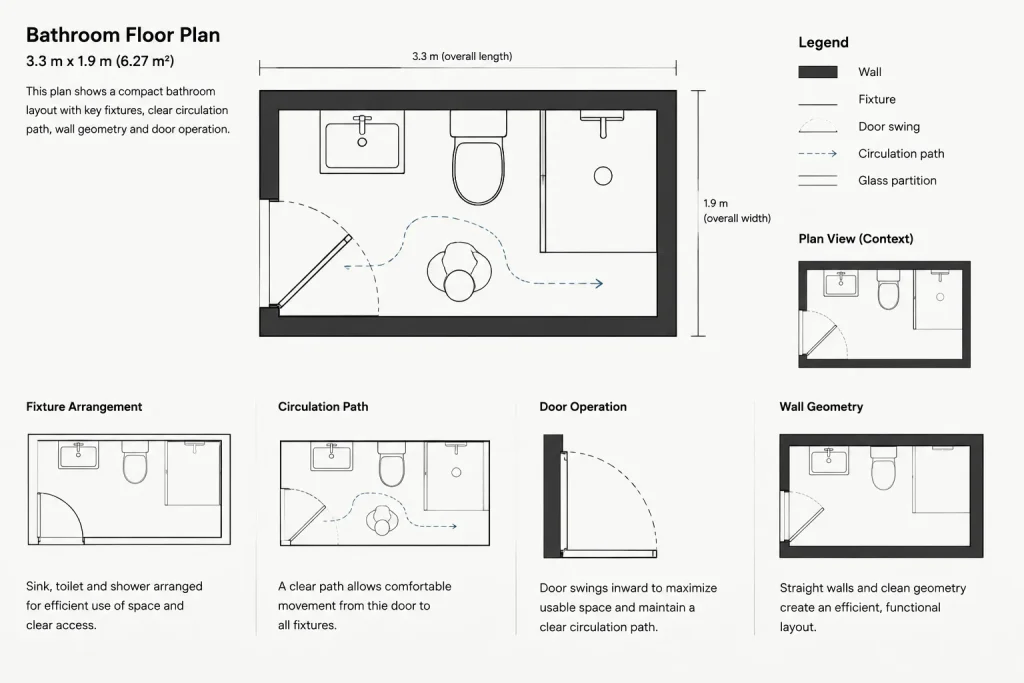
Next, trace how a user would enter, move through, and use the room. Check whether the door swing conflicts with fixtures and whether sanitary fittings can be approached and operated comfortably. Visible space in a plan does not automatically confirm adequate clearance, so compare the arrangement with the project’s governing requirements.
Bathroom Planning Checks
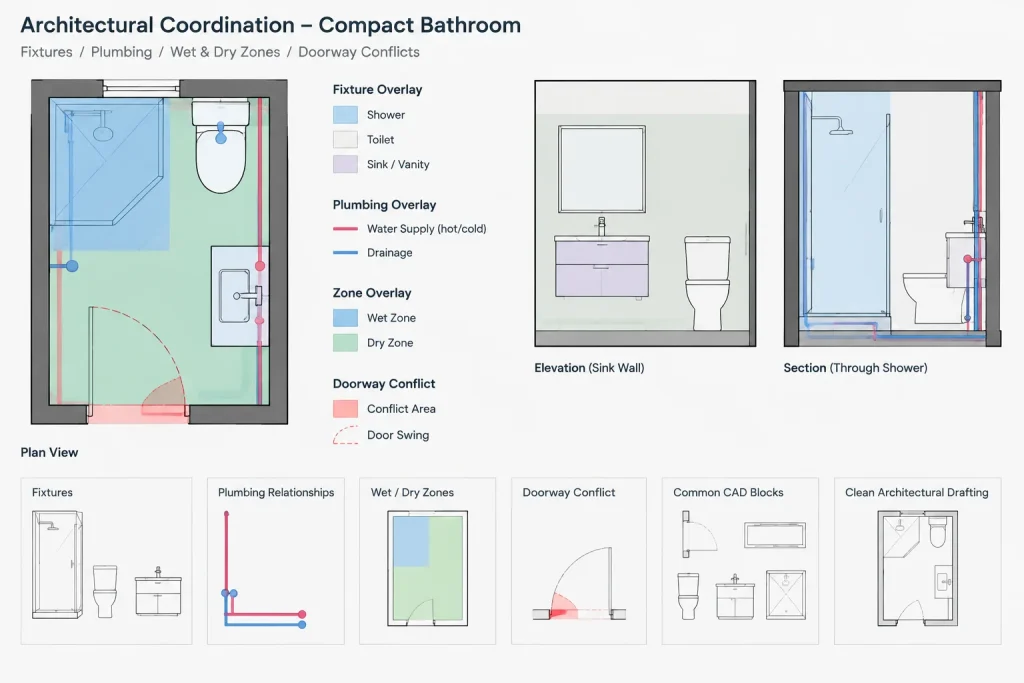
- Fixture placement: Review the relationship between the toilet, basin, bathing area, walls, and doorway.
- Door operation: Check the swing or opening direction and identify potential conflicts with fixtures or circulation.
- Plumbing coordination: Consider supply, waste, and vent routing in relation to walls, floors, and adjacent rooms.
- Wet-area planning: Coordinate drainage, waterproofing transitions, and the separation of wet and dry zones.
- Drawing organization: Inspect layers, line types, blocks, text, and dimensions before merging the content with an office template.
- Project compliance: Verify accessibility, ventilation, electrical coordination, and local building requirements with qualified professionals.
Using the DWG in an Architectural Workflow
Keep an unchanged copy of the downloaded file and perform edits in a project-specific version. If fixture blocks are replaced, retain logical insertion points and confirm that their displayed extents match the selected products. Generic CAD symbols may communicate design intent, but they do not replace manufacturer information or coordinated installation drawings.
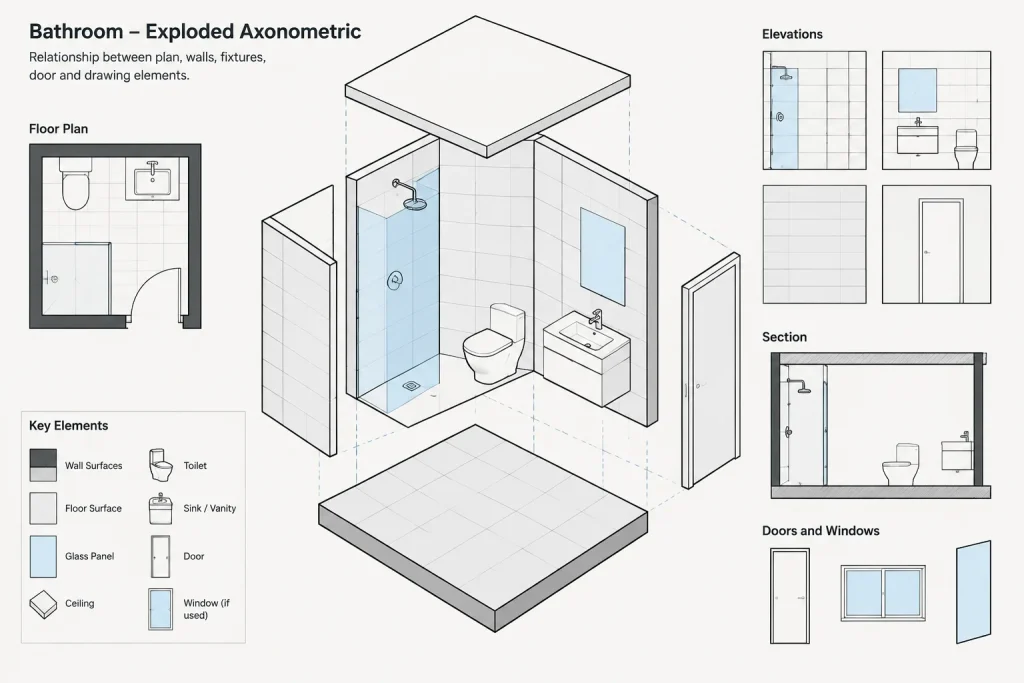
For drawing consistency, map imported objects to the project’s layer naming, lineweight, annotation, and plotting conventions. Remove duplicate geometry and unused content only after confirming that it is not required. The completed plan should also be coordinated with relevant elevations, sections, schedules, and enlarged details.
Related Drawing Resources
This layout can be reviewed alongside bathroom fixture CAD blocks, door blocks, plumbing symbols, interior elevations, floor-plan annotation guides, and CAD layer organization references. Those related resources help turn an isolated room plan into a coordinated architectural drawing rather than a collection of disconnected symbols.
Frequently Asked Questions
Can this bathroom DWG be used directly in a project?
It is better used as a planning and drafting reference. Verify dimensions, units, fixture selections, clearances, construction conditions, and applicable requirements before including it in project documentation.
What should I check immediately after opening the file?
Confirm the drawing units, overall size, fixture arrangement, door operation, layer structure, text, dimensions, and plotted appearance. Opening the file separately also makes it easier to identify content that should not be imported.
Can the fixture arrangement be modified?
DWG geometry is generally intended for editing, but any change to fixture positions should be followed by another review of circulation, plumbing coordination, door conflicts, and wet-area planning.
Does the plan confirm code compliance?
No generic CAD block can establish compliance for every location or occupancy. The final bathroom design must be checked against the regulations, accessibility criteria, and professional requirements that apply to the specific project.
Should elevations and sections be created from this plan?
Yes, where required by the drawing package. Elevations and sections can clarify mounting relationships, finishes, vertical clearances, service locations, and details that are not fully communicated in plan view.