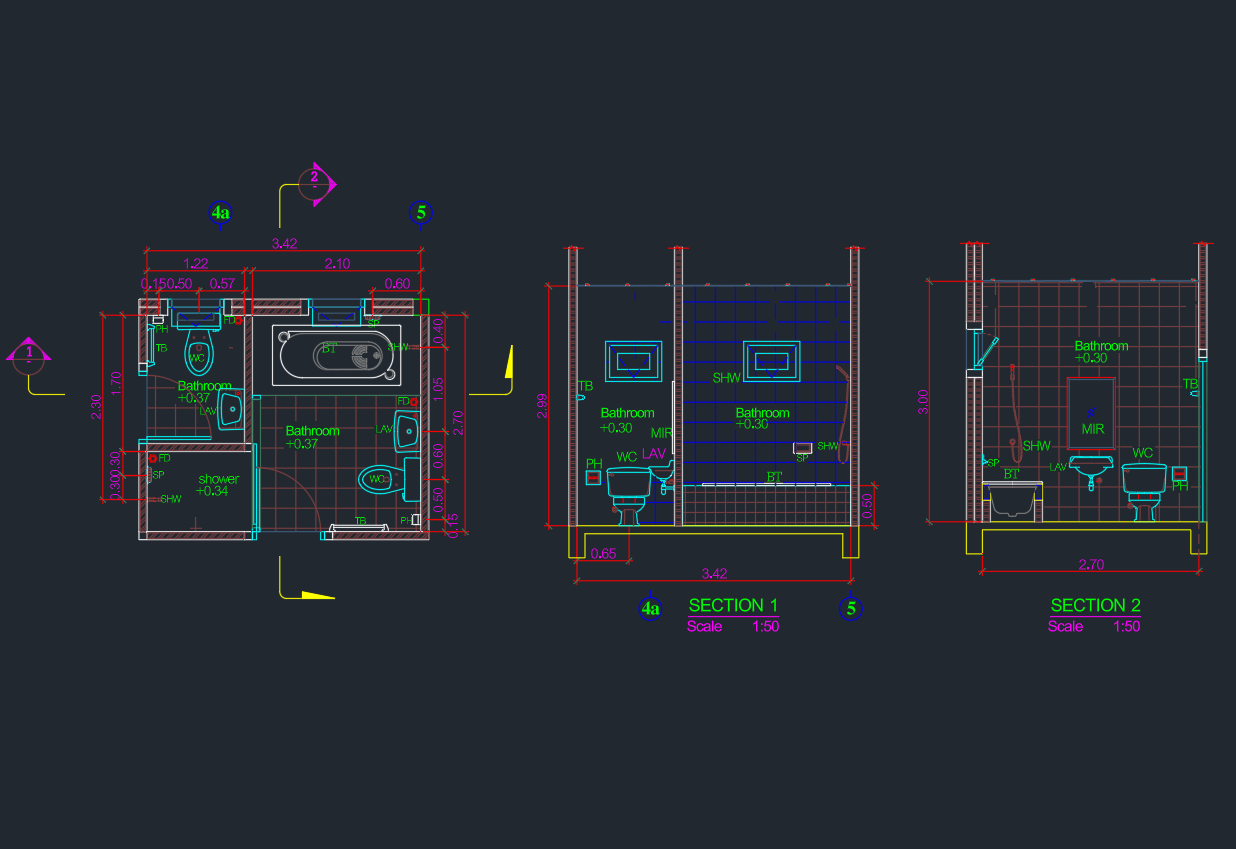
This Bathroom Ideas 2.45x2m DWG resource provides a compact layout that can support early planning, drafting studies, and bathroom arrangement comparisons. Use the drawing as a starting point for reviewing fixture relationships, circulation, door operation, and coordination with surrounding walls.
Before incorporating the block into a drawing set, confirm its units, scale, geometry, and layer organization. The layout should also be checked against project-specific construction conditions, accessibility criteria, manufacturer information, and applicable building requirements.
Discover innovative Bathroom Ideas for spaces sized 2.45x2m with our high-quality DWG file CAD Block. Perfect for architects, interior designers, and homeowners, this downloadable resource provides a detailed and accurate bathroom layout that optimizes every inch of your 2.45x2m area. Easily editable and fully compatible with AutoCAD and other leading CAD software, this file streamlines your design process. Ideal for residential and small commercial projects, it helps you visualize plumbing, fixtures, and furniture placement, making bathroom planning efficient and professional. Upgrade your designs with this reliable CAD Block today.
Please log in or register to download this file.
How to Review the Bathroom Layout
A compact bathroom plan is most useful when evaluated as a coordinated space rather than as a collection of individual symbols. Examine how the fixtures relate to one another and whether a user can enter, move through, and use the room without conflicts.
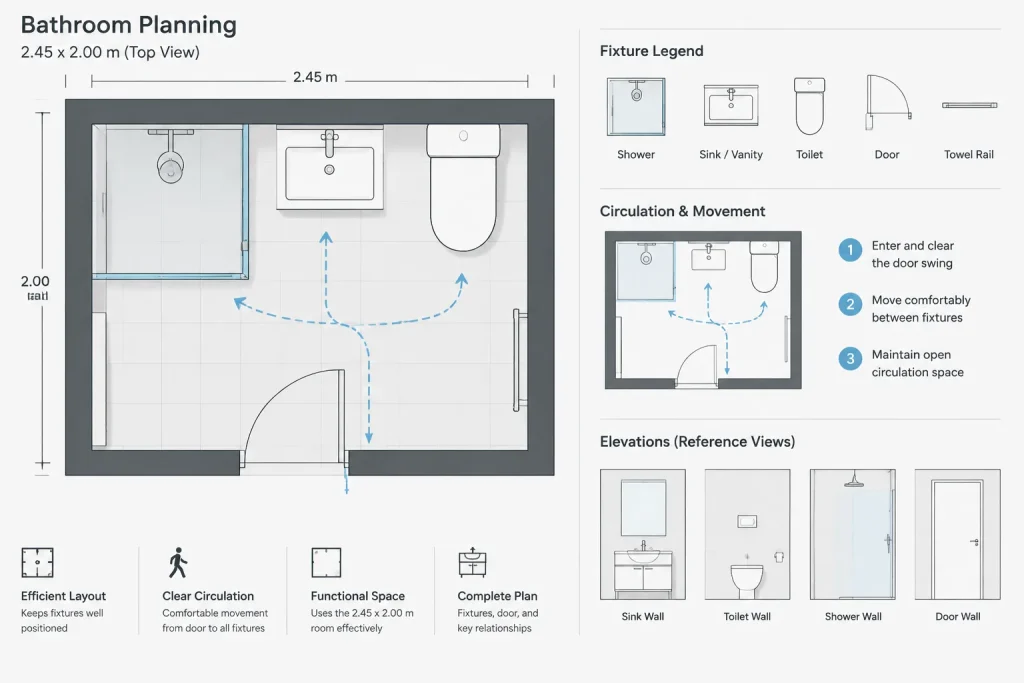
- Check the entrance: Review the door location and swing for interference with fixtures, fittings, or the primary movement path.
- Study fixture relationships: Confirm that sanitary fixtures and bathroom furniture are positioned logically for the intended use of the room.
- Review circulation: Look for congested areas and overlapping use zones, especially near the entrance and frequently used fixtures.
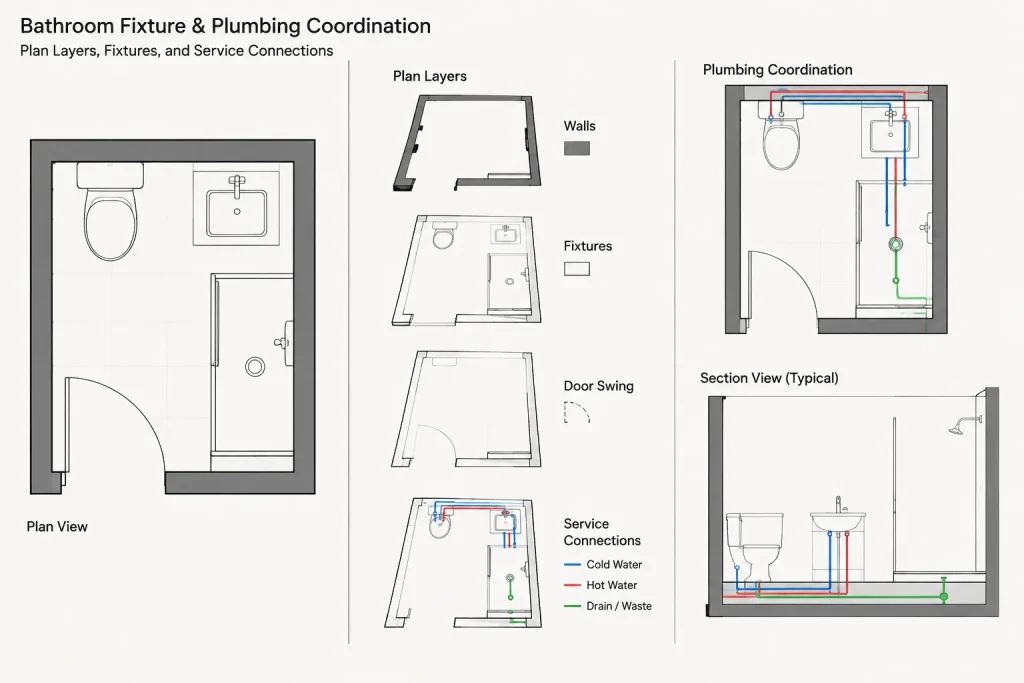
- Coordinate plumbing: Compare fixture positions with the proposed supply, drainage, wall, floor, and service conditions.
- Inspect the CAD file: Verify insertion units, drawing scale, layers, linework, blocks, and object properties before editing or referencing the file.
Using the DWG in an Architectural Workflow
After opening the file, save a working copy and inspect the drawing before moving geometry into a project. Unnecessary information can be isolated or removed, while retained elements should be assigned to the office layer and graphic standards used for plans, elevations, schedules, and coordination drawings.
The bathroom arrangement can also be compared with related resources such as bathroom fixture CAD blocks, door swing details, plumbing symbols, interior elevations, and room-layout references. These topic relationships help turn a basic plan into a coordinated architectural drawing rather than an isolated block.
Important Project Checks
The stated room size does not by itself establish that the layout is appropriate for every building. Wall finishes, construction thicknesses, fixture models, installation requirements, ventilation, waterproofing, accessibility, and local regulations may affect the final arrangement. Confirm all relevant conditions before using the drawing for documentation or construction.
Frequently Asked Questions
What does this Bathroom Ideas 2.45x2m DWG show?
The source describes an editable bathroom layout intended to help visualize plumbing, fixtures, and furniture placement within a 2.45x2m space. Open the file to verify the exact objects, annotation, and drawing organization provided.
Can the bathroom layout be edited?
The source identifies the DWG as editable. Before making changes, check whether the objects are individual entities, grouped elements, or reusable blocks, and retain an unmodified copy for reference.
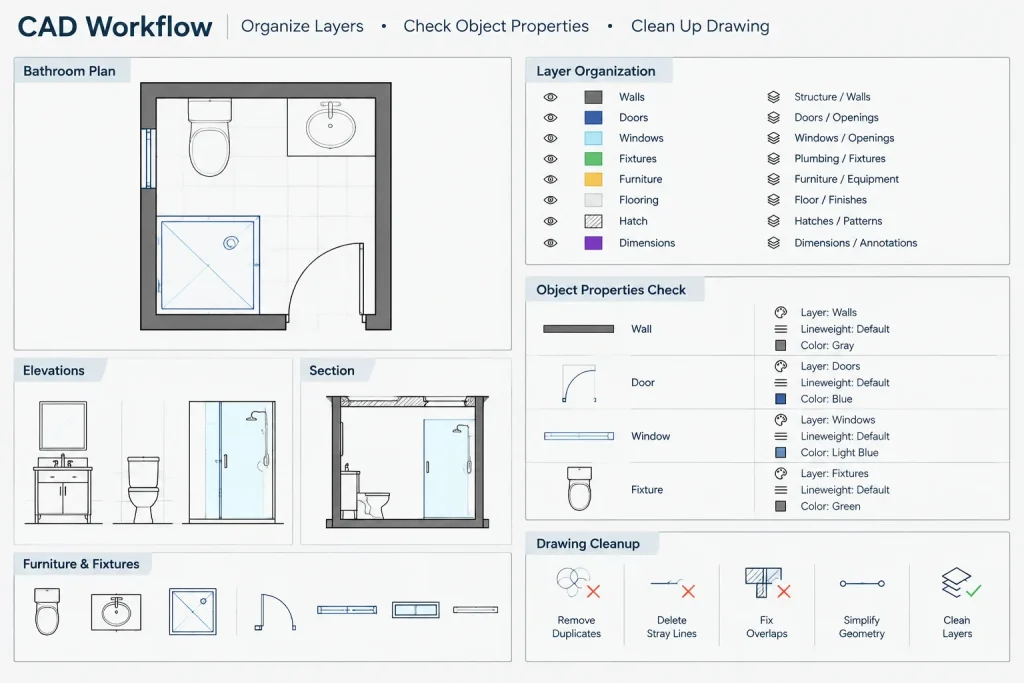
Should the DWG be inserted directly into a project plan?
Inspect the file first. Confirm units, scale, layers, line types, object properties, and drawing origin, then adapt the geometry to the standards and conditions of the destination project.
Is this layout ready for construction?
A CAD block is a planning and drafting resource, not automatic confirmation of code compliance or construction suitability. Fixture specifications, clearances, services, finishes, and project requirements must be independently verified.
What related drawings can support bathroom planning?
Useful companion references include sanitary fixture blocks, bathroom elevations, plumbing symbols, door details, tile-layout drawings, annotation guides, and CAD layer organization resources.