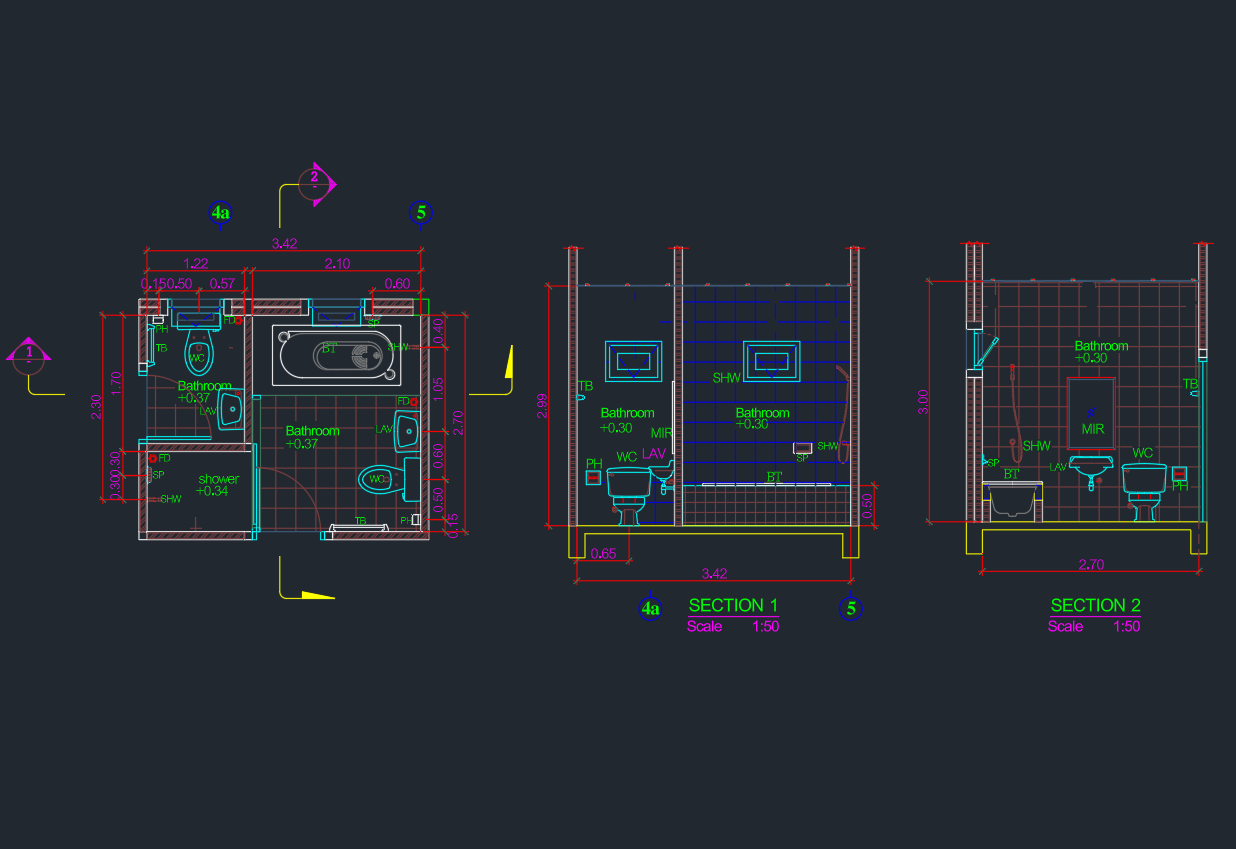
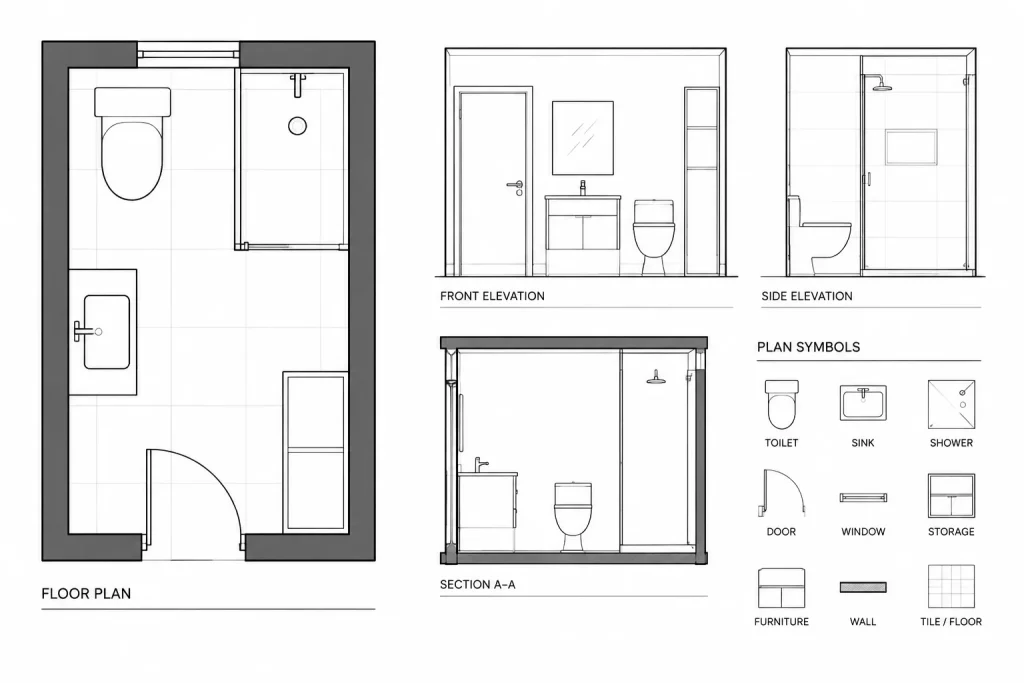
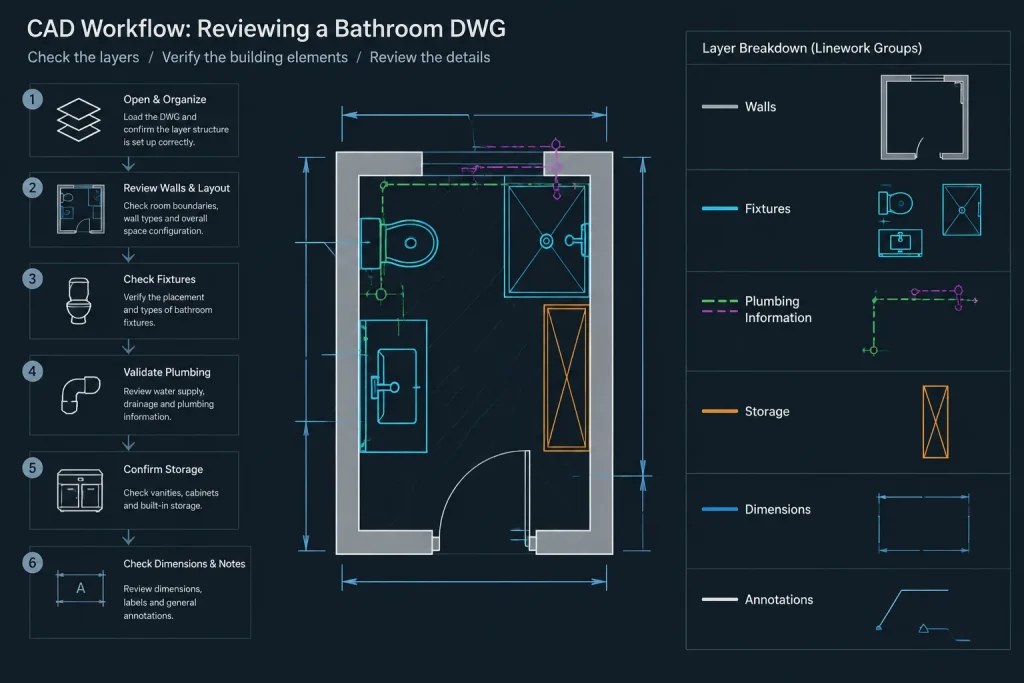
A compact bathroom plan requires more than fitting fixtures inside a boundary. Door movement, circulation, plumbing relationships, storage access, and usable space around each element should be reviewed together. This Bathroom Ideas 3x2m DWG provides a starting point for studying those relationships in plan view.
Before incorporating the drawing into a larger floor plan, confirm how the stated 3x2m size is measured. Check whether the dimensions refer to clear internal space, wall faces, or another reference point in the file. Wall construction and project-specific clearances can affect the final arrangement.
Discover innovative solutions for compact spaces with this detailed DWG file featuring Bathroom Ideas Size 3x2m. Perfect for architects, interior designers, and homeowners, this CAD Block provides a professionally designed bathroom layout optimized for 3×2 meter spaces. The drawing includes clear arrangements for fixtures, plumbing, and storage, making it ideal for renovation or new construction projects. Easily customizable, this DWG file ensures compatibility with AutoCAD and similar CAD software, streamlining your design process and helping you visualize efficient bathroom layouts for small to medium-sized areas.
Please log in or register to download this file.
How to Evaluate the Bathroom Layout
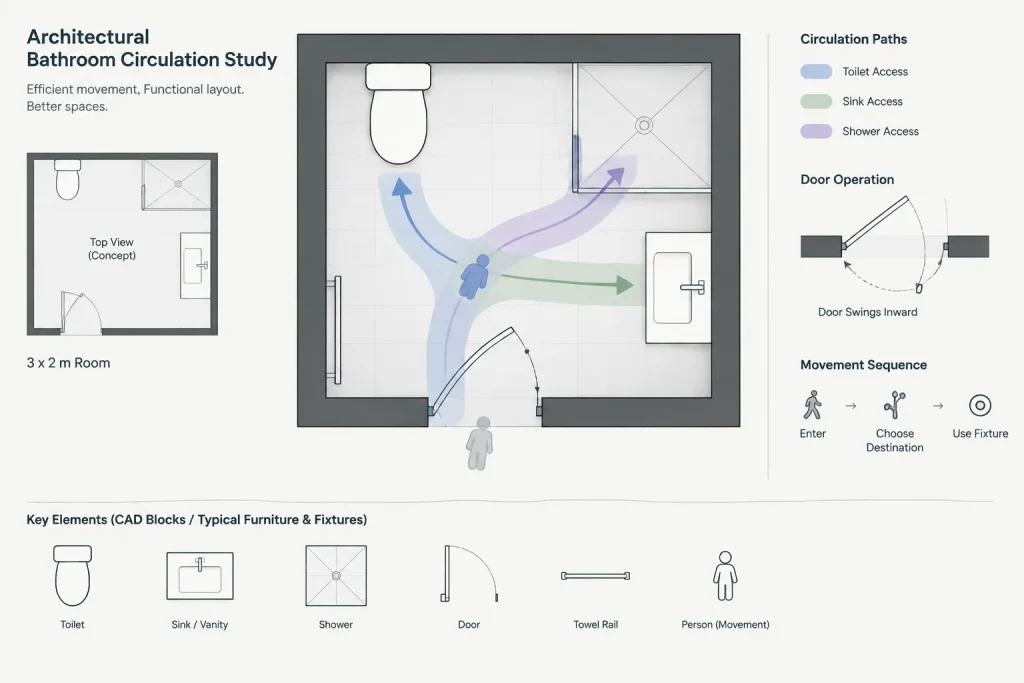
Begin by identifying the room boundary, entrance, sanitary fixtures, plumbing information, and storage elements shown in the DWG. Follow the likely path from the doorway to each fixture and look for conflicts between door swings, fixture use areas, cabinet access, and circulation.
A layout that appears orderly on screen may still require adjustment when wall thicknesses, finishes, service routes, and actual product selections are added. Keep the downloaded drawing as an original reference and edit a working copy for the project.
Practical CAD Review Checklist
- Drawing units: Verify the file units before scaling, measuring, or inserting the plan into another drawing.
- Room dimensions: Confirm that the 3x2m designation matches the dimension reference used in the drawing.
- Fixture blocks: Check block insertion points, orientation, displayed geometry, and whether the symbols represent the products being considered.
- Door operation: Review the entrance direction and swing for conflicts with fixtures, storage, and circulation.
- Plumbing coordination: Compare fixture positions with the proposed supply, waste, drainage, and wall-service strategy.
- Storage access: Make sure drawers, cabinet doors, and other movable parts can operate without obstruction.
- Layers and linework: Organize walls, fixtures, plumbing information, dimensions, and annotations so the plan remains readable.
- Annotations: Replace generic labels and notes with information verified for the actual project.
Adapting the DWG to a Project
Use the bathroom CAD block as a planning reference rather than assuming it is a construction-ready solution. Fixture shapes in a general drawing may not match selected products, and project conditions can change the usable room envelope. Manufacturer information should be used when accurate connection points, installation zones, or product geometry are required.
When placing the layout into a floor plan, coordinate it with adjacent rooms, wall assemblies, structural elements, ventilation, lighting, and plumbing routes. Applicable accessibility, safety, and building requirements should be checked for the project location and occupancy rather than inferred from the downloaded plan.
Related Drawing Topics
This resource can be reviewed alongside bathroom CAD blocks, door blocks, plumbing fixture symbols, floor-plan dimensions, architectural annotation, and CAD layer organization. Those related topics help turn a standalone layout into a coordinated drawing set.
Frequently Asked Questions
What does 3x2m describe in this bathroom DWG?
It describes the stated bathroom size in the source content. Open the drawing and inspect its dimensions to determine exactly which wall faces or room boundaries define that size.
Can the layout be edited in AutoCAD?
The source identifies the resource as a DWG intended for AutoCAD and similar CAD software. Before editing, verify units, object types, blocks, layers, and linework in the software being used.
What should be checked before moving a fixture?
Review circulation, door operation, adjacent fixtures, storage access, plumbing connections, wall construction, and the requirements of the selected product. Moving one element can affect several other parts of the plan.
Is the downloaded plan ready for construction or permit use?
It should be treated as a reference and design starting point. A qualified project professional should verify dimensions, product data, services, accessibility, safety, and applicable local requirements before the drawing is used for construction documentation.
How can the drawing be kept organized while editing?
Retain an unchanged source file, create a separate working copy, confirm the drawing units, and place walls, fixtures, plumbing information, dimensions, and notes on clearly managed layers. Remove or revise annotations that do not apply to the project.